Safe WordPress operations for site health, user protection, database maintenance, reversible quarantine, WebP optimization and activity monitoring.
Astricode Ops brings security, cleanup, optimization and diagnostic tools together inside the WordPress administration area. It is designed to help administrators understand what is happening on their site, identify unnecessary or suspicious data, and perform maintenance through explicit, controlled operations.
This documentation covers Astricode Ops 1.0.5 and Astricode Ops Pro 1.4.5.
Important: Before performing destructive maintenance on a production website, create a current database and file backup. Some Astricode Ops operations provide reversible quarantine, but not every cleanup action is reversible.
What Astricode Ops can do
Security and registration protection
Astricode Ops includes a registration firewall that monitors registration routes and records blocked attempts across native WordPress registration, custom forms and integrations, REST API requests, AJAX requests and additional protection layers.
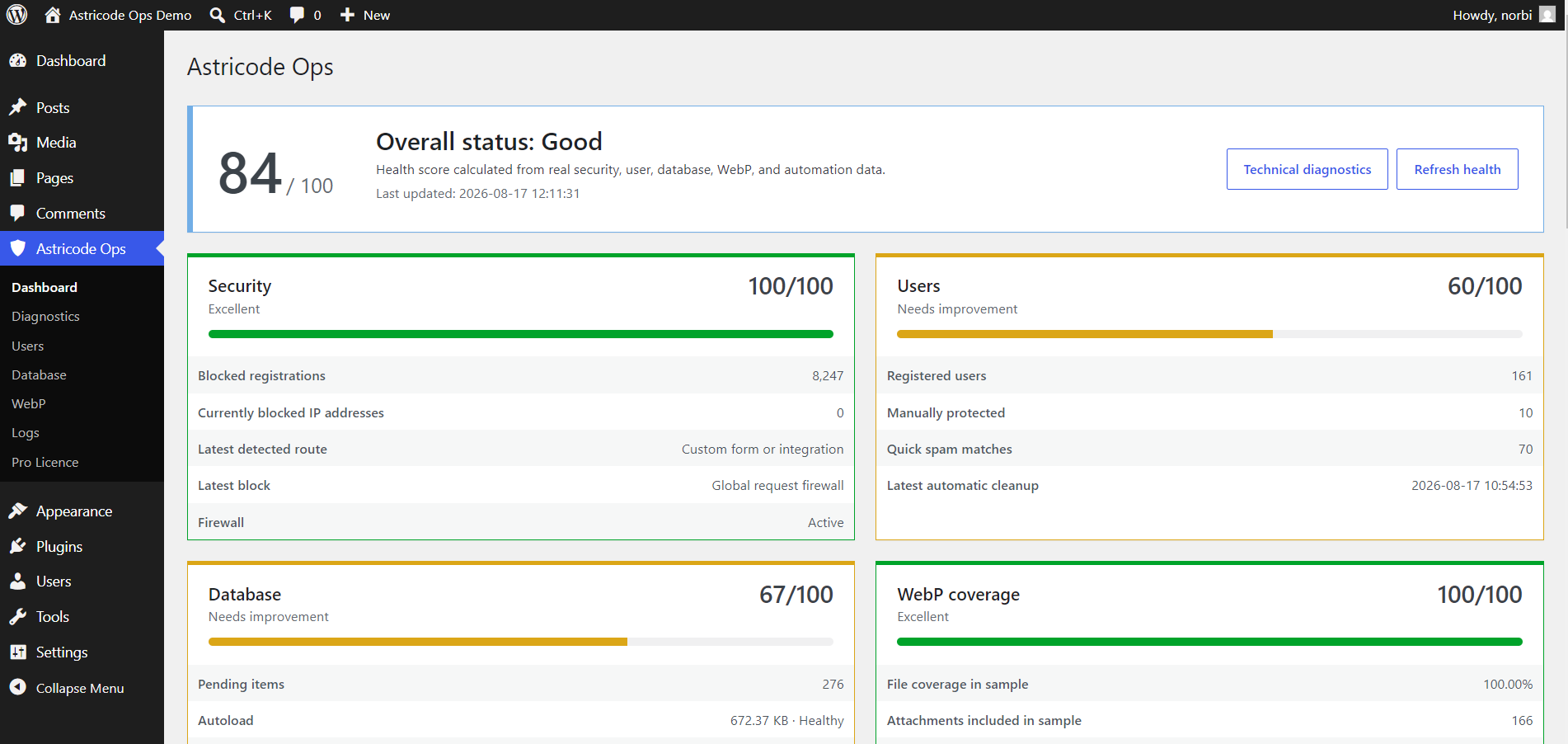
The Dashboard provides a consolidated view of firewall activity, including the latest detected route, the latest protection layer that blocked an attempt and the historical number of blocked registrations.
User analysis and cleanup
Astricode Ops can analyze registered users for patterns associated with suspicious or automated accounts.
The user tools include quick suspicious-user statistics, risk scoring, manual cleanup, a full informational user audit, manually protected users and deep analysis based on evidence of legitimate use.
Astricode Ops Pro extends these tools with new-user monitoring and automatic user cleanup.
Manual protection is respected by cleanup processes, allowing administrators to exclude specific users from automated or manual removal workflows.
Database maintenance
The Database section provides tools for inspecting and maintaining WordPress data without relying on external database administration software.
It includes orphaned metadata detection, user-table optimization, a general table optimizer, plugin-table inspection, wp_postmeta analysis, wp_options and autoload analysis, safe WordPress maintenance and reversible quarantine.
Potentially sensitive operations are separated from diagnostic analysis so administrators can review the available information before deciding whether to take action.
Reversible operations
Astricode Ops includes a quarantine infrastructure for supported advanced operations.
Depending on the data type, Astricode Ops can preserve a verifiable copy or use reversible table renaming before removing or isolating data from its original location. Quarantine records include integrity information, operational context and a retention period.
Where restoration is supported, quarantined data can be returned through the WordPress administration interface.
Note: Quarantine is available only for supported operations. Standard WordPress cleanup actions such as deleting revisions, trash or expired transient data are separate maintenance operations and should not be considered reversible quarantine.
WebP optimization
Astricode Ops can inspect the WordPress Media Library, detect WebP support on the server, measure current WebP coverage and generate WebP alternatives for compatible JPG and PNG images.
The manual converter is included in Astricode Ops.
Astricode Ops Pro adds scheduled automatic WebP conversion and a manual Run Now action for the automatic conversion queue.
Generated WebP files do not replace or delete the original JPG or PNG files.
Diagnostics and activity logs
Technical Diagnostics checks the environment in which Astricode Ops is running, including PHP and WordPress requirements, filesystem permissions, scheduled tasks, database access, process locks, plugin integrity and storage conditions.
Diagnostics are read-only with respect to site content. Temporary diagnostic probes are removed during the same diagnostic run.
Astricode Ops also maintains bounded activity logs for relevant operations such as cleanup actions, WebP conversion, registration protection and Pro automation.
Astricode Ops Pro
Astricode Ops Pro is an extension of the base Astricode Ops plugin. It does not replace Astricode Ops.
| Feature | Astricode Ops | Astricode Ops Pro |
|---|---|---|
| Registration firewall | ✓ | ✓ |
| Suspicious user analysis | ✓ | ✓ |
| Manual user cleanup | ✓ | ✓ |
| Full user audit | ✓ | ✓ |
| Deep user analysis | ✓ | ✓ |
| Database maintenance | ✓ | ✓ |
| Reversible quarantine | ✓ | ✓ |
| Manual WebP conversion | ✓ | ✓ |
| Technical diagnostics | ✓ | ✓ |
| Activity logs | ✓ | ✓ |
| New-user monitoring | — | ✓ |
| Automatic user cleanup | — | ✓ |
| Automatic WebP conversion | — | ✓ |
Astricode Ops Pro requires the base Astricode Ops plugin to remain installed and active.
Understanding the screenshots
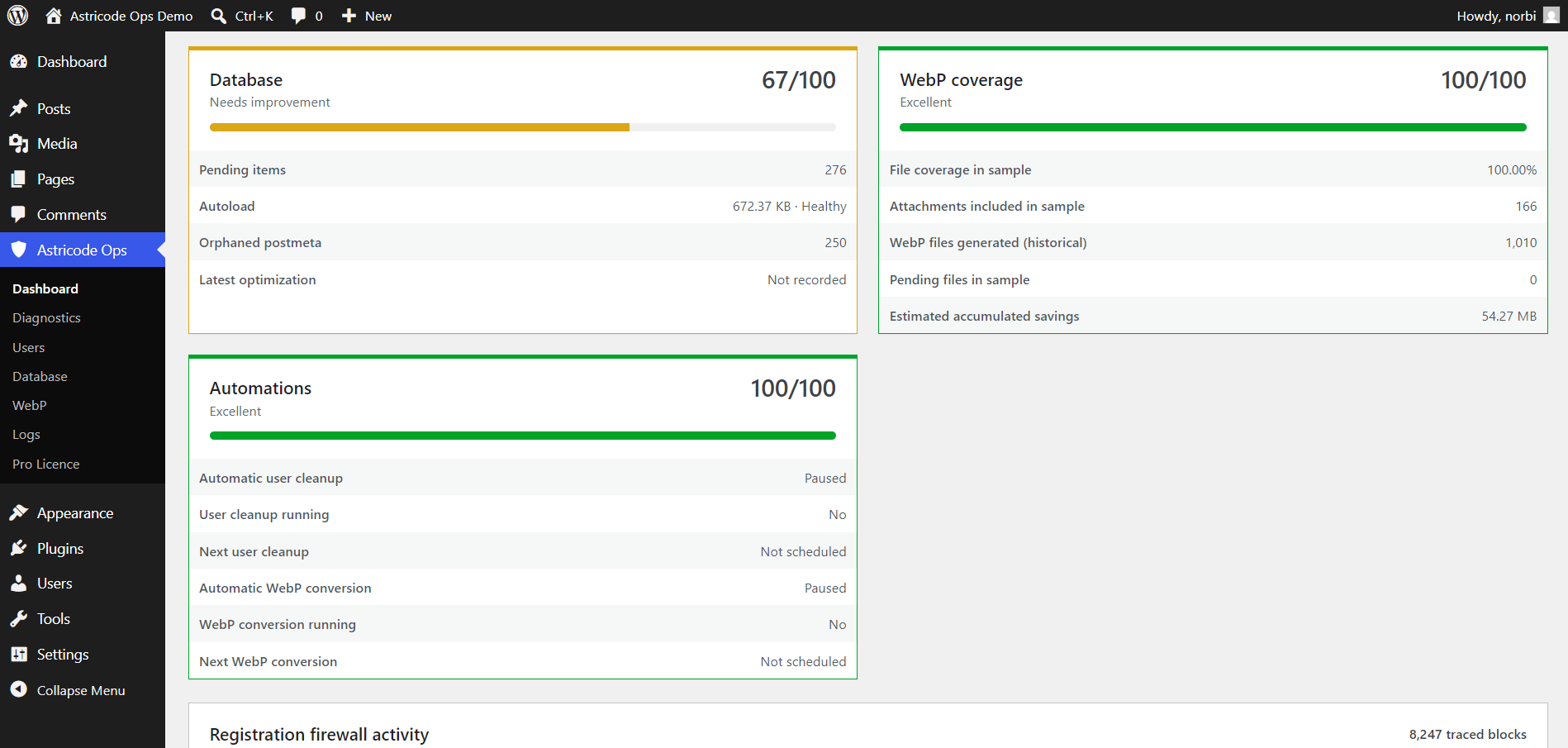
The screenshots in this manual come from a dedicated Astricode Ops demonstration installation. Their numbers are examples designed to show the plugin with meaningful data.
Your user counts, database sizes, health scores, WebP coverage, logs and cleanup results will depend on your own WordPress installation.
Start here
If you are installing Astricode Ops for the first time, continue with Installation and Requirements.
If Astricode Ops is already active, Dashboard and Health Score explains how to interpret the first screen and decide which area needs attention.