Open Astricode Ops → Users to review suspicious accounts and user-cleanup tools.
Astricode Ops separates quick indicators from deeper analysis so you can review the evidence before removing accounts.
Overview
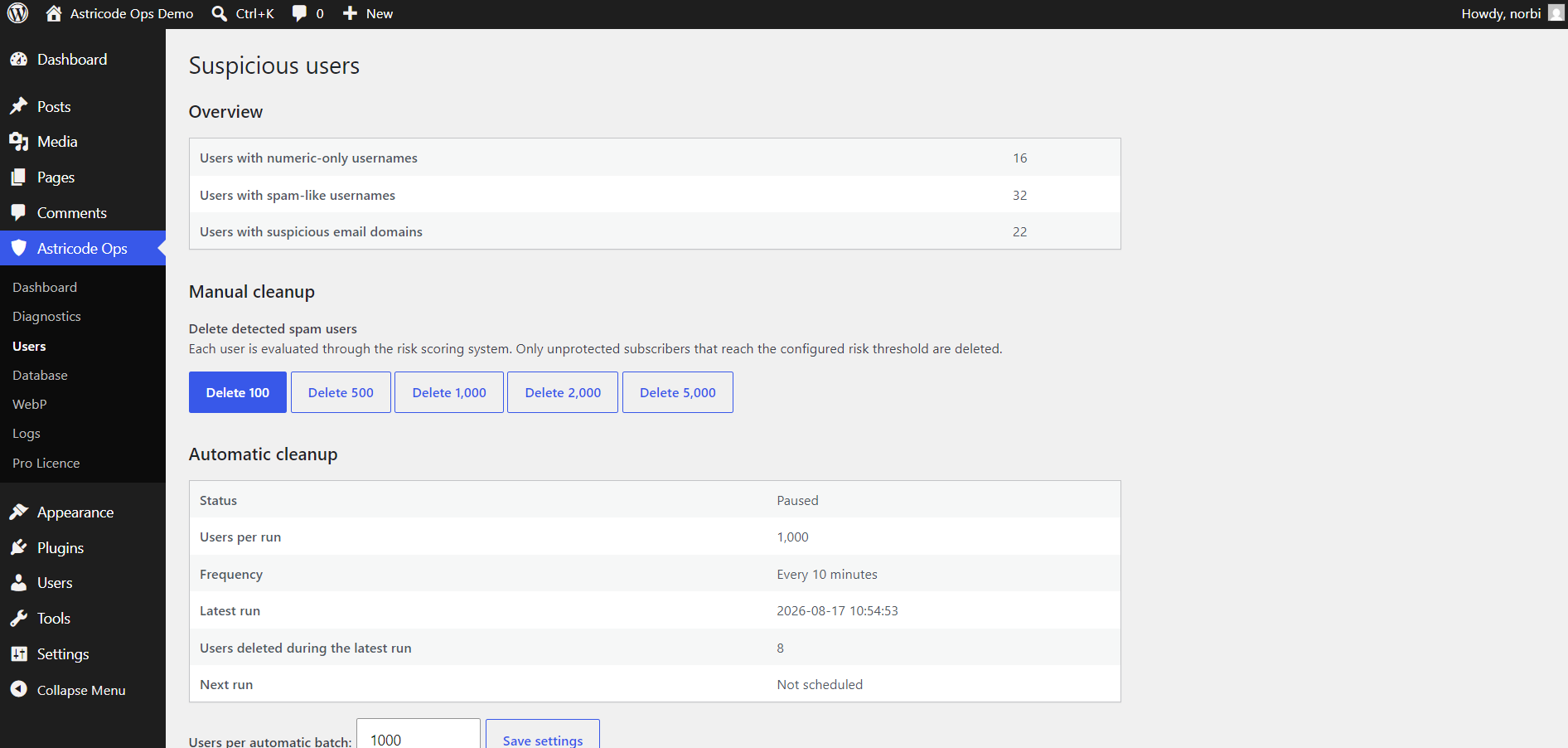
The top overview reports quick matches such as:
- users with numeric-only usernames;
- users with spam-like usernames;
- users with suspicious email domains.
These are indicators, not automatic proof that an account is spam.
Manual cleanup
The Manual cleanup section evaluates users through the risk scoring system.
Only eligible, unprotected subscribers that reach the cleanup threshold are removed by this tool. Protected users and accounts excluded by the cleanup rules are not deleted.
The interface provides bounded batch actions such as:
- Delete 100
- Delete 500
- Delete 1,000
- Delete 2,000
- Delete 5,000
On production sites, start with a smaller batch unless you already understand the user population.
Manually protected users
Manual protection is the strongest administrator-controlled exclusion available in the Users section.
Protected users are excluded from:
- audits where protection rules apply;
- manual cleanup;
- automatic cleanup.
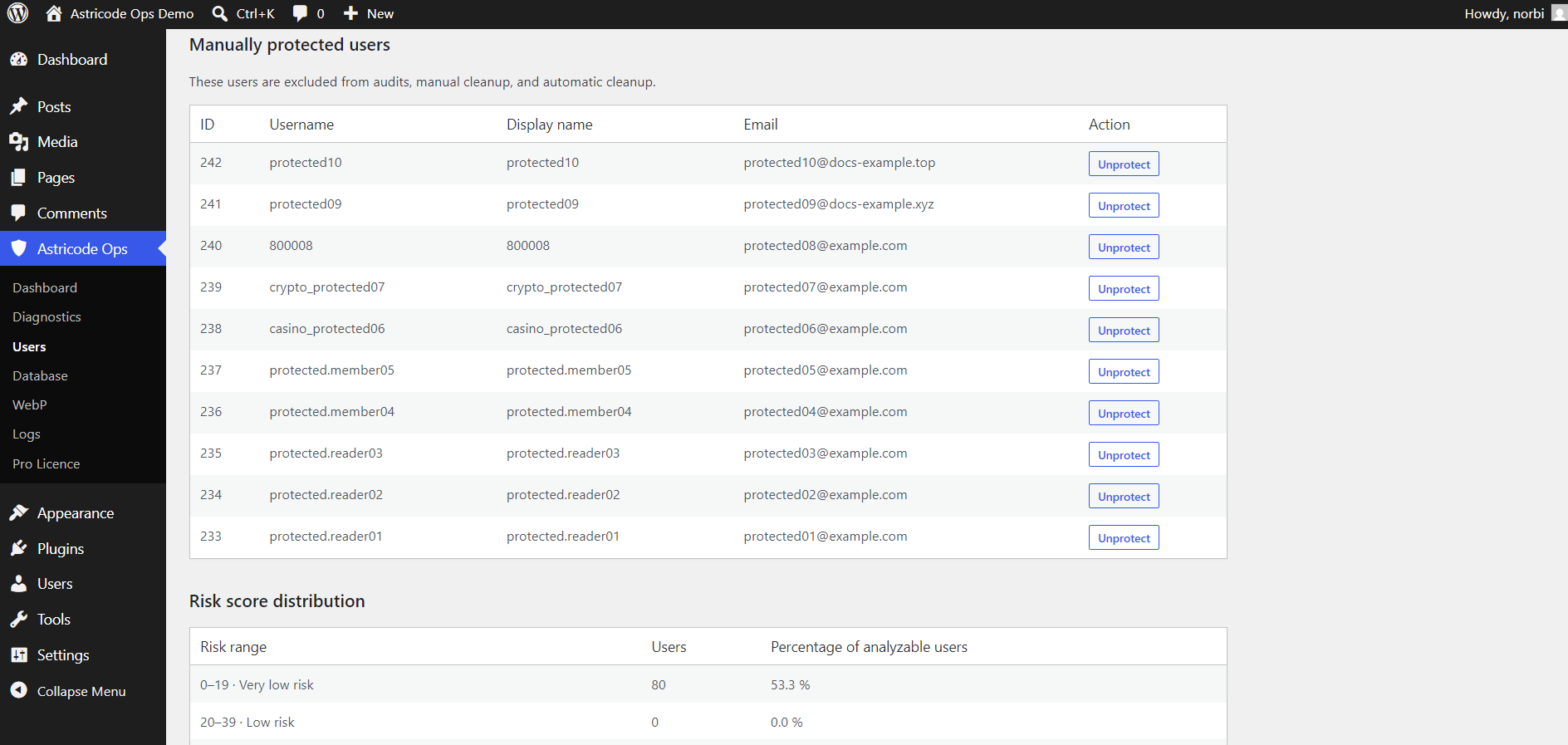
The protected-user table shows user ID, username, display name, email and an Unprotect action.
When to protect a user
Consider manual protection when an account is known to be legitimate but resembles a spam pattern, for example:
- a numeric username;
- an unusual email domain;
- an intentionally incomplete profile;
- a service or integration account.
Protection should be deliberate. Do not use it as a substitute for understanding why large groups of users are being flagged.
Before deleting users
Before a large cleanup:
- run the Full User Audit;
- review the risk distribution;
- protect known legitimate accounts;
- confirm that the accounts are subscribers eligible for the cleanup;
- create a database backup.