Open Astricode Ops → WebP to check server compatibility, inspect Media Library coverage and convert compatible JPG and PNG files to WebP.
Astricode Ops creates WebP alternatives without deleting or modifying the original source images.
Server Compatibility
The top section reports:
- GD with WebP support;
- Imagick with WebP support;
- whether WebP conversion is available;
- preferred conversion method.
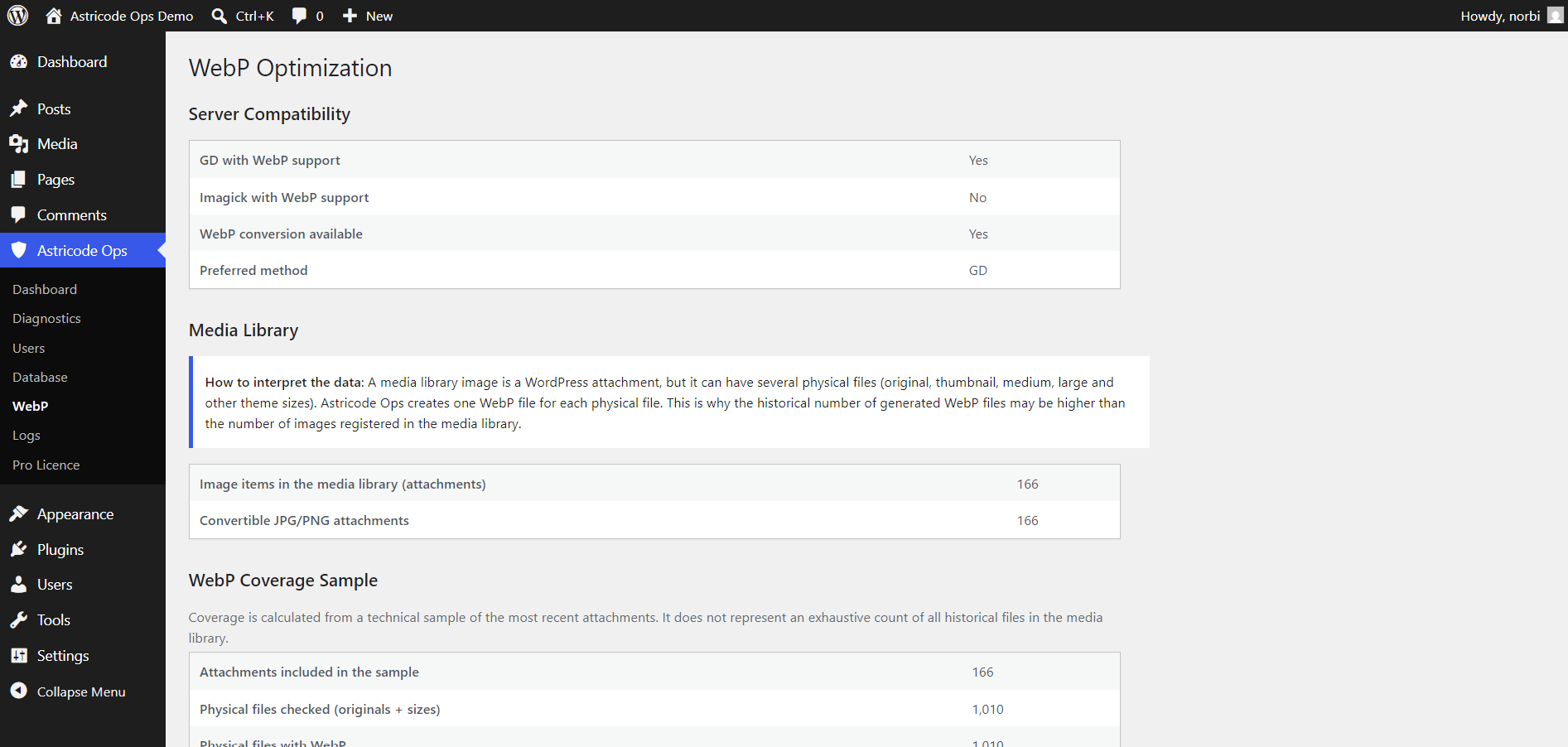
Astricode Ops can operate when at least one supported image editor can generate WebP.
Media Library
A WordPress Media Library image is one attachment, but it can have several physical files:
- original;
- thumbnail;
- medium;
- large;
- other registered sizes.
Astricode Ops creates one WebP file for each eligible physical file.
This is why the historical number of generated WebP files can be much higher than the number of attachments.
WebP Coverage Sample
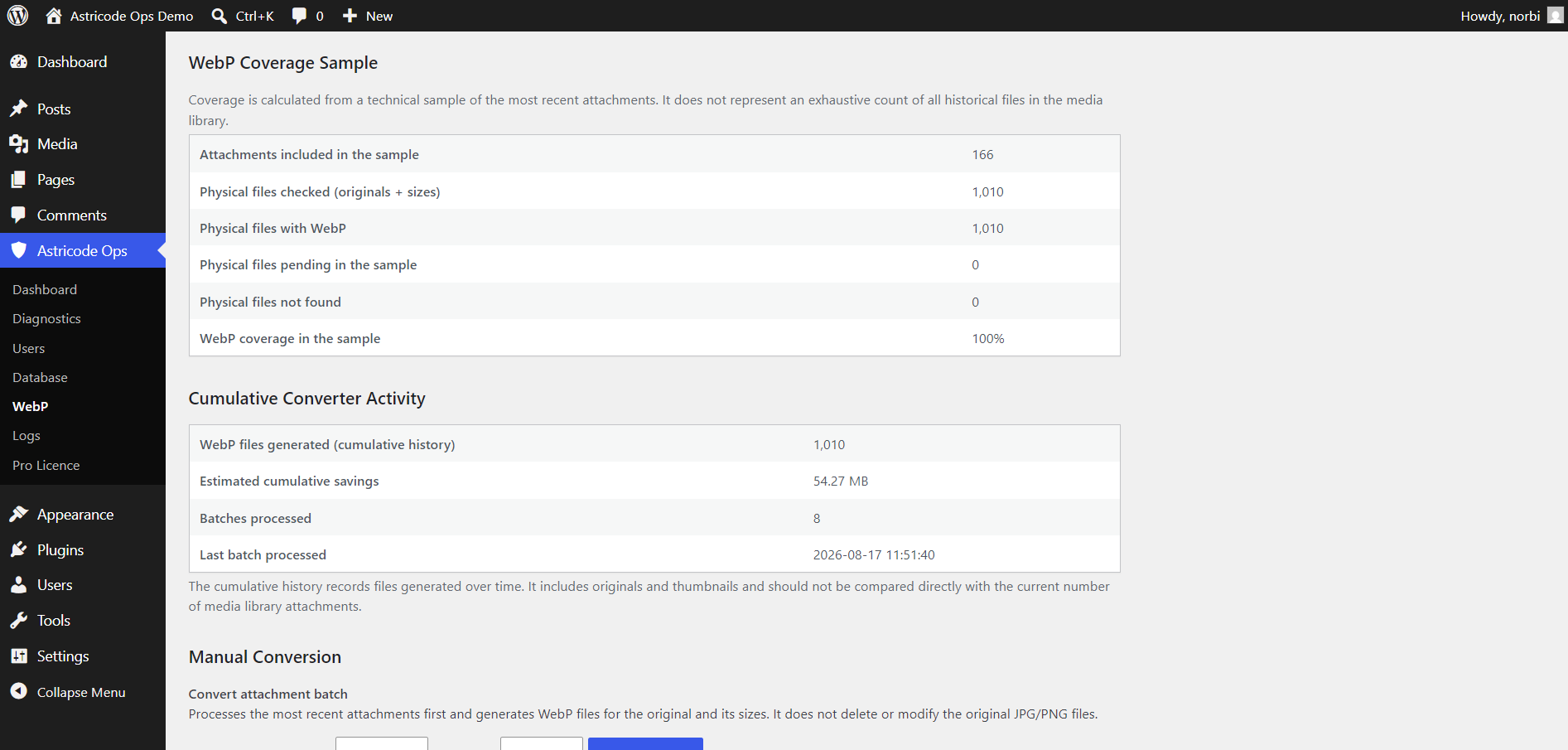
Coverage is calculated from a technical sample of recent attachments. It is not presented as an exhaustive historical count of every file ever created by the Media Library.
The sample can include:
- attachments included;
- physical files checked;
- physical files with WebP;
- pending files;
- files not found;
- coverage percentage.
Cumulative Converter Activity
The cumulative section records:
- WebP files generated over time;
- estimated cumulative savings;
- batches processed;
- last batch time.
Manual Conversion
Manual conversion is available in Astricode Ops.
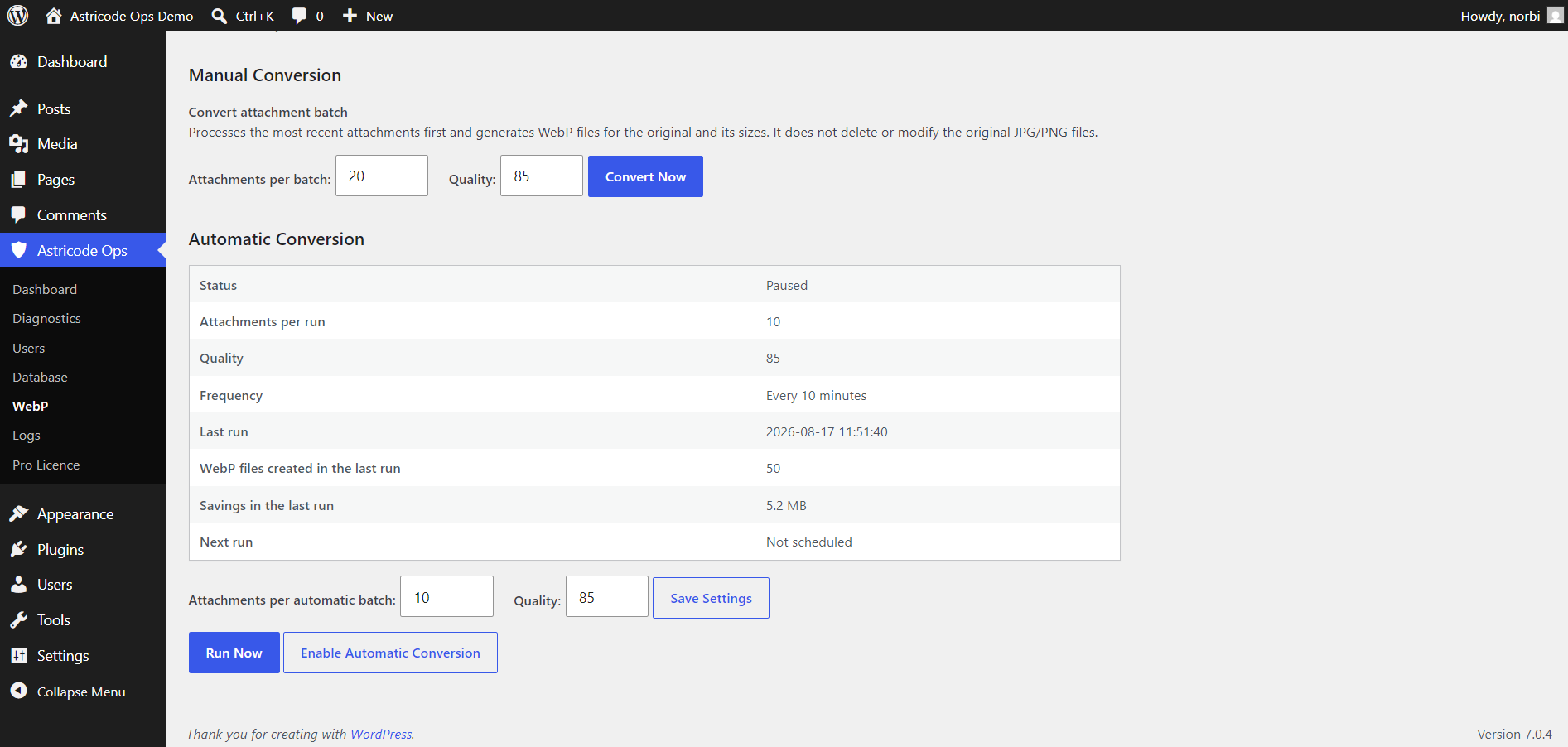
Controls include:
- attachments per batch;
- quality;
- Convert Now.
Astricode Ops processes a bounded attachment batch and generates WebP files for the original and eligible sizes.
The converter accepts a bounded quality range; the current implementation clamps quality to supported values between 60 and 95.
Automatic Conversion — Pro
Astricode Ops Pro adds automatic WebP conversion.
The Pro panel can show:
- Status;
- Attachments per run;
- Quality;
- Frequency;
- Last run;
- WebP files created in the last run;
- Savings in the last run;
- Next run.
Controls include:
- Attachments per automatic batch;
- Quality;
- Save Settings;
- Run Now;
- Enable Automatic Conversion.
Run Now
Pro Run Now executes the automatic conversion path immediately. This is useful for testing the configured automatic batch without leaving recurring automation enabled.
Pausing automation
When automatic conversion is paused, the scheduler is not left running. Previous conversion history remains available in the interface and Logs.
Original images remain
WebP generation does not delete the original JPG or PNG files.
This allows WordPress and other components to continue using original assets where WebP is not appropriate.