Astricode Ops Pro requires a valid licence before Pro modules are allowed to operate.
Open Astricode Ops → Pro Licence.
Active licence information
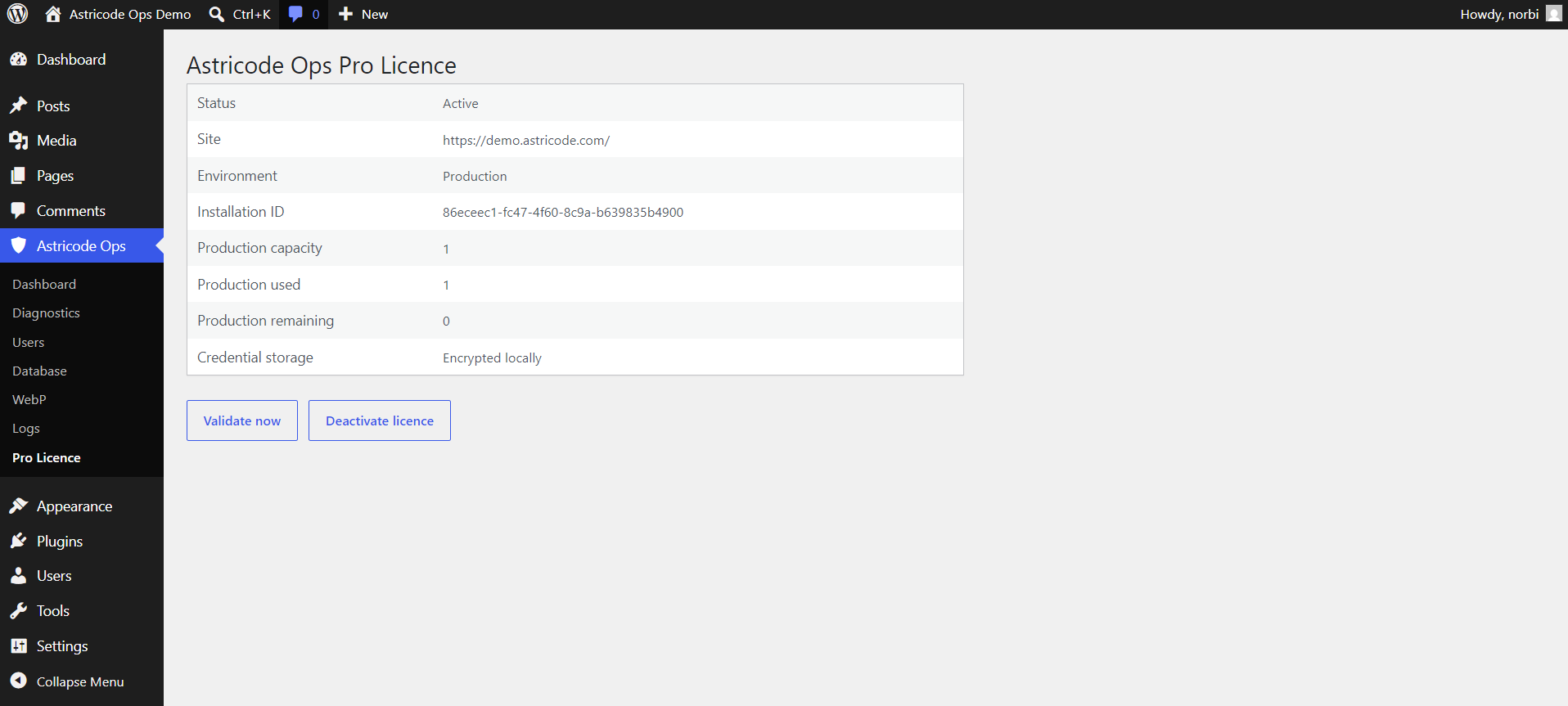
An active licence view can show:
- Status;
- Site;
- Environment;
- Installation ID;
- Production capacity;
- Production used;
- Production remaining;
- Credential Storage.
Credential storage
When the interface reports Encrypted locally, the plugin stores the Pro credential in encrypted local form rather than displaying the plaintext licence key.
Do not place licence keys in screenshots, support tickets or public logs.
Validate now
Use Validate now to ask the Pro client to validate the current licence state through the real licence API.
A successful validation refreshes the local entitlement state used by Pro.
Deactivate licence
Deactivate licence removes the current activation for this installation through the supported licence workflow.
Do not use deactivation casually on a production site. Pro automation depends on an allowed licence state.
Site capacity
A licence can report production capacity, used production activations and remaining production capacity.
Capacity belongs to the licence entitlement, not to the WordPress user count.
Environment
The licence state records the environment used for activation.
If the site URL or environment changes, validate the licence again and follow the supported activation/deactivation workflow rather than editing licence options manually.
If Pro features are missing
Check:
- Astricode Ops is active.
- Astricode Ops Pro is active.
- Versions are compatible.
- Licence status is Active.
- Validation succeeds.
- Technical Diagnostics has no relevant critical failure.
Do not manually set the internal licence state to active.