The Astricode Ops Dashboard summarizes the most important operational signals from Security, Users, Database, WebP and Automation.
The overall score is intended as a navigation aid: it helps you decide which area deserves attention first. It is not a guarantee that a site is secure, fast or error-free.
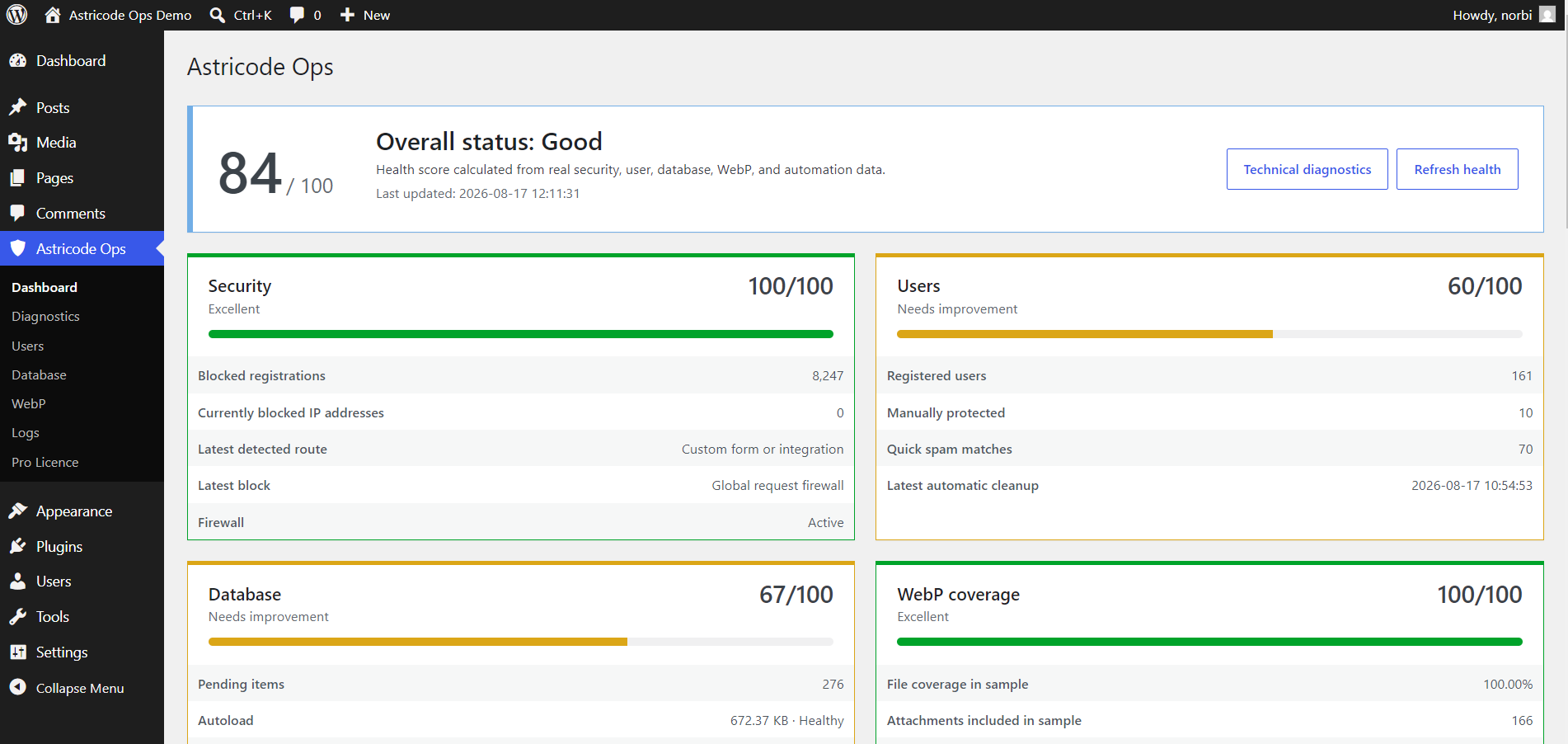
Overall status
The top card displays:
- the overall score out of 100;
- a human-readable status;
- the last update time;
- buttons for Technical diagnostics and Refresh health.
Health data is calculated from real plugin observations rather than a static checklist.
Security
The Security card can include:
- blocked registrations;
- currently blocked IP addresses;
- latest detected registration route;
- latest block or protection layer;
- firewall status.
A high historical block count does not mean that the same number of WordPress users exists. It represents blocked registration activity.
Users
The Users card summarizes:
- total registered users;
- manually protected users;
- quick spam matches;
- the latest automatic cleanup, when Pro has run one.
A lower Users score can be intentional on a demonstration or review site containing suspicious accounts for analysis. Use the Users section to understand the underlying matches before deleting anything.
Database
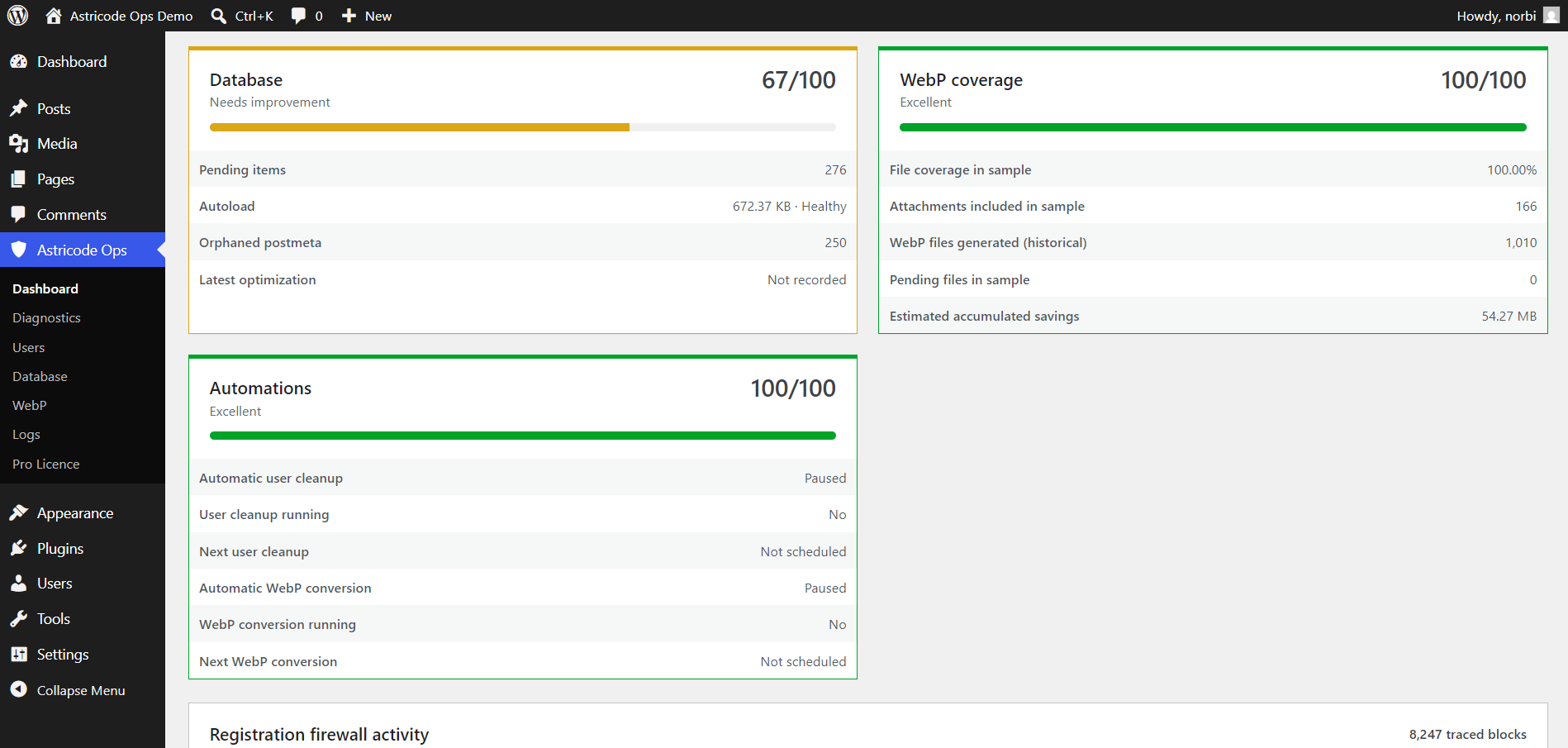
The Database card summarizes data such as:
- pending maintenance items;
- estimated autoload payload;
- orphaned postmeta;
- latest optimization status.
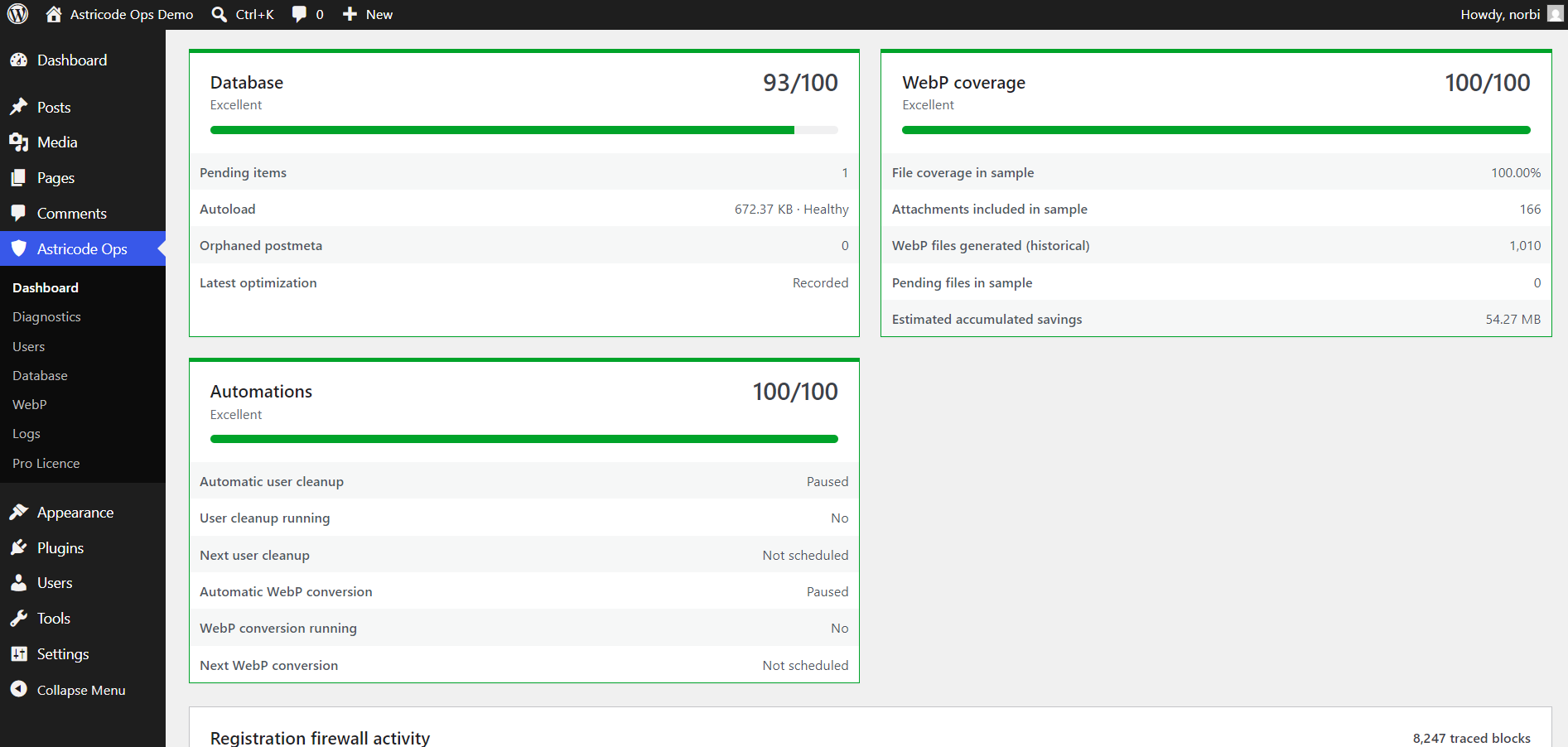
After cleanup, the card updates when you refresh health.
WebP coverage
The WebP card reports the technical sample used by Astricode Ops, including:
- file coverage percentage;
- attachments included in the sample;
- historical WebP files generated;
- pending files in the sample;
- estimated accumulated savings.
The number of generated WebP files can be higher than the number of Media Library attachments because one attachment may have multiple physical image sizes.
Automations
When Pro is available, the Automations card shows the state of:
- automatic user cleanup;
- whether user cleanup is currently running;
- next user cleanup;
- automatic WebP conversion;
- whether WebP conversion is currently running;
- next WebP conversion.
Paused and Not scheduled are valid states when you do not want automatic jobs running.
Before and after maintenance
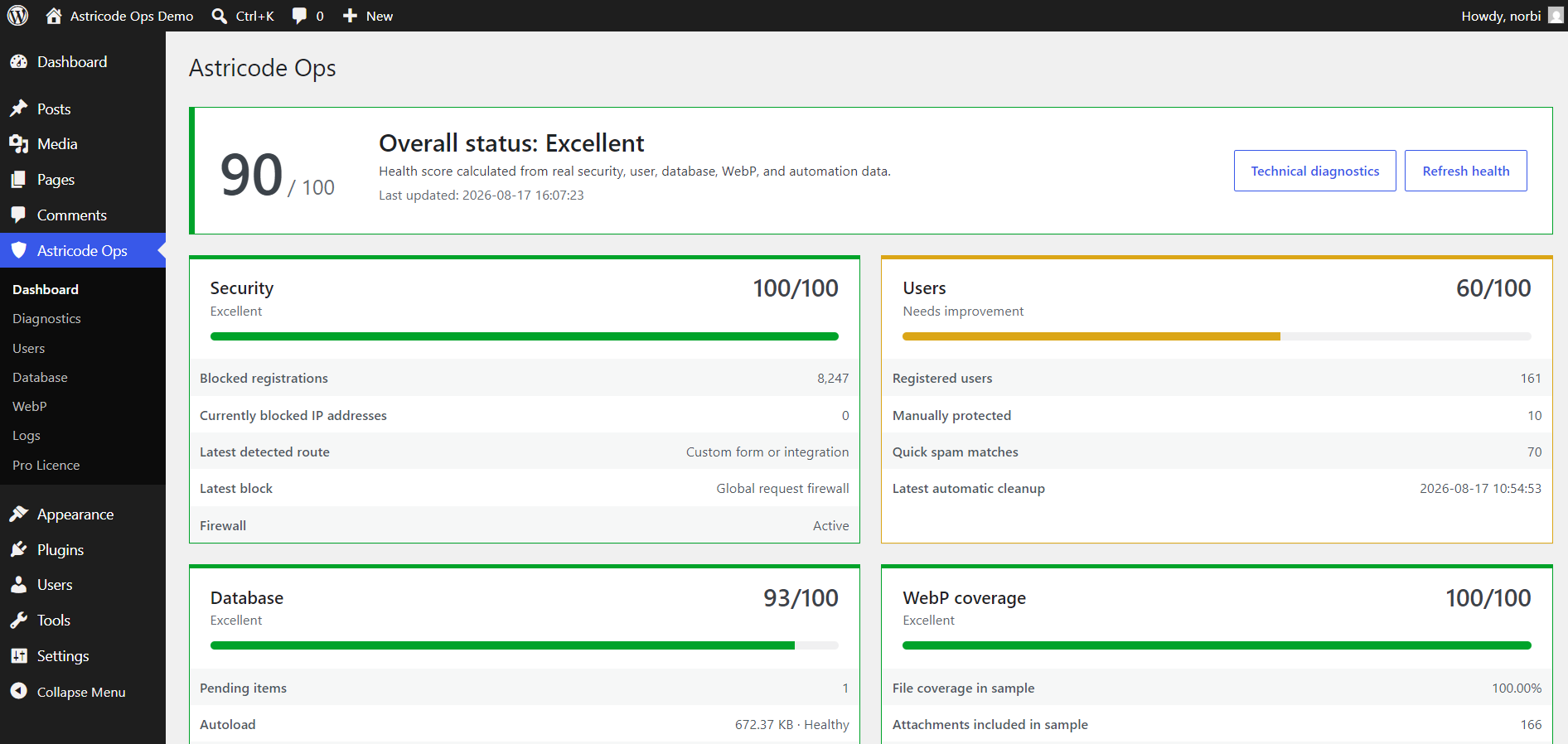
In the documentation demo, controlled database cleanup improved the Dashboard from 84/100 to 90/100, while the Database component improved from 67/100 to 93/100.
The result was not artificially forced to 100. One temporary maintenance item was intentionally left in place, and the Users dataset remained intentionally mixed for documentation.
This is the recommended way to interpret the Dashboard: improve the conditions that genuinely need maintenance rather than chasing a perfect number.