This walkthrough shows a controlled Astricode Ops maintenance session on a dedicated demonstration installation.
The numbers are examples. Do not expect the same counts on your own site.
Before starting: Create a current database backup and inspect each category before deleting it.
Starting point
The demo was intentionally prepared with maintenance residue so the plugin could be documented with meaningful data.
The Dashboard started at:
- Overall health: 84/100
- Database: 67/100
- WebP: 100/100
- Security: 100/100
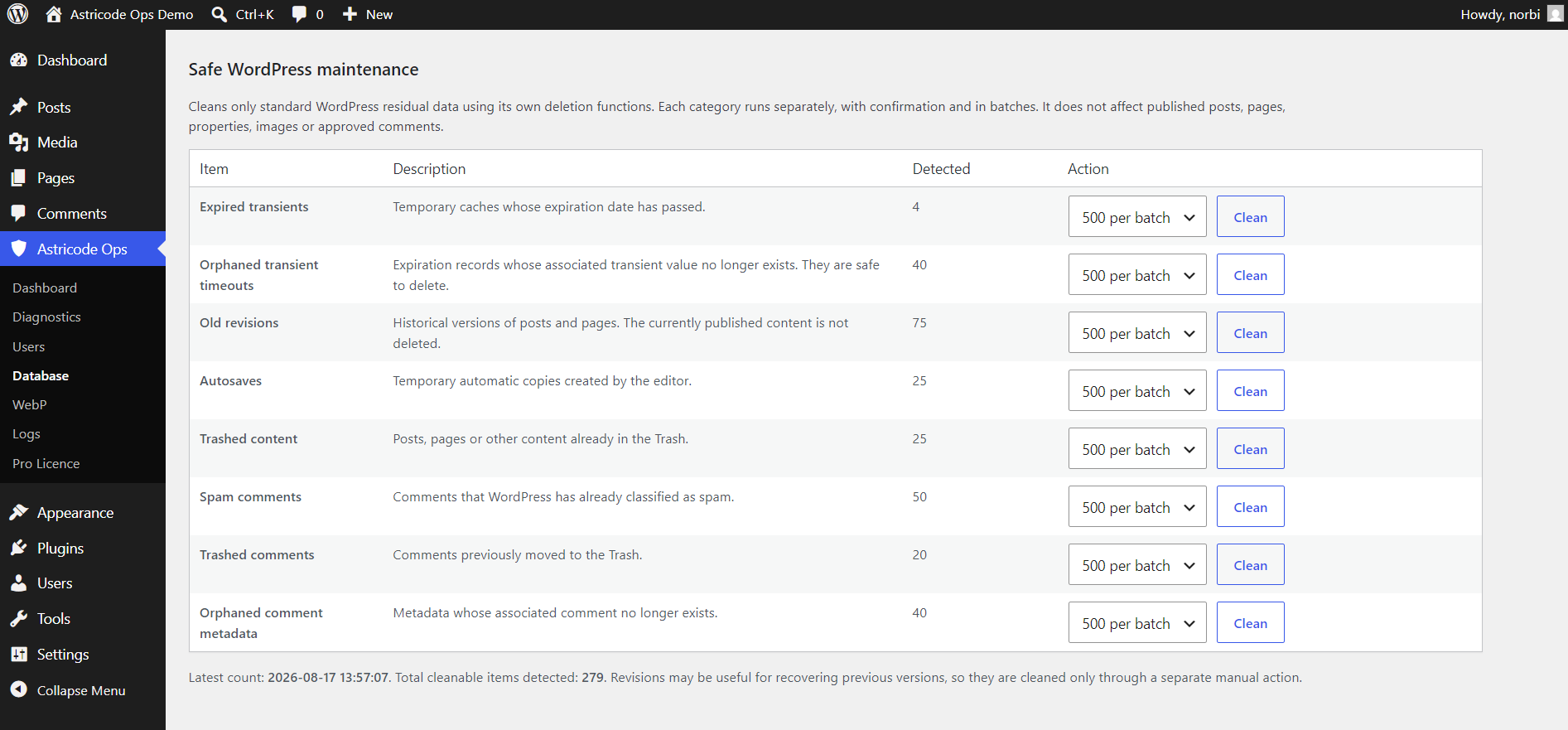
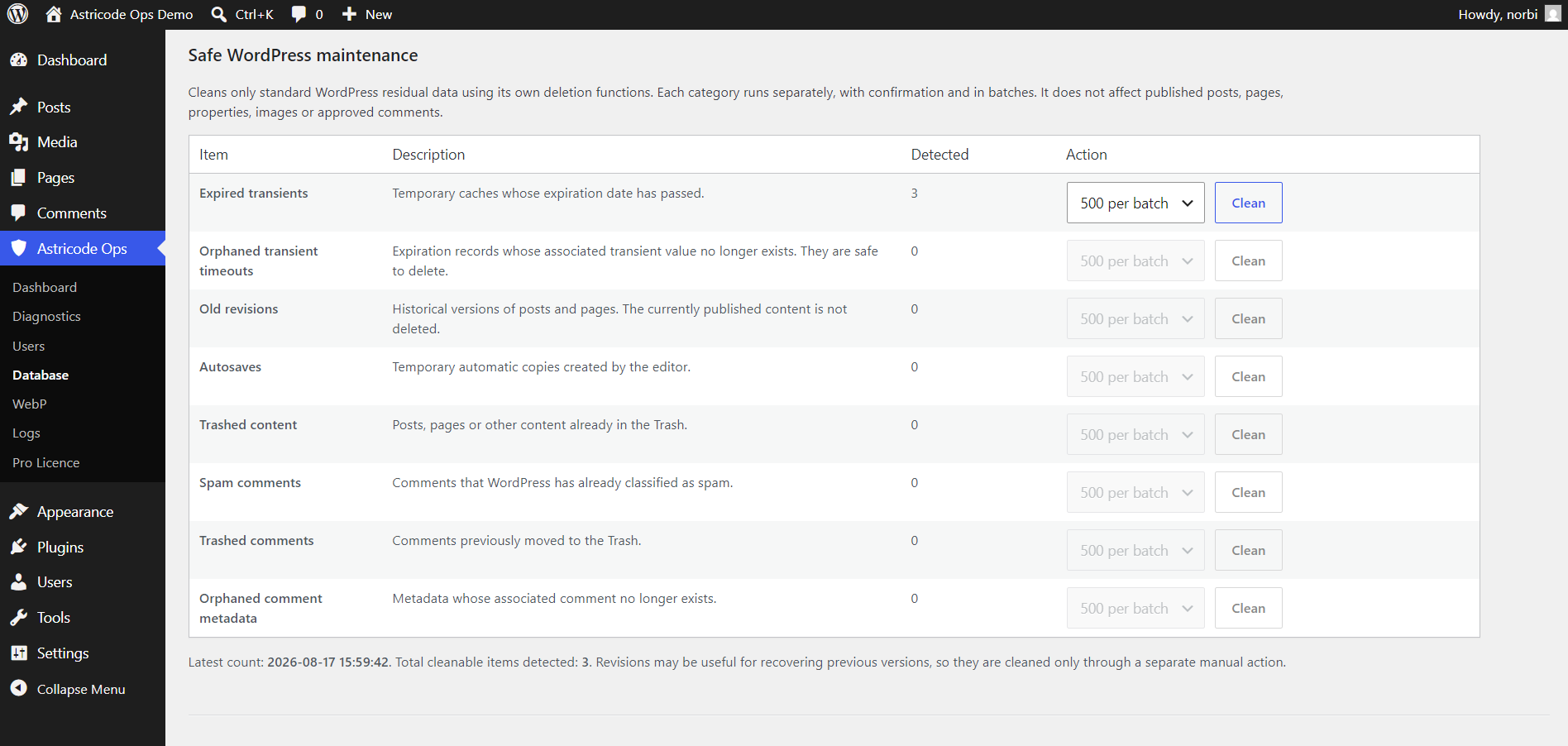
The Safe WordPress Maintenance panel contained revisions, autosaves, trash, spam and orphaned metadata.
Step 1 — Orphaned usermeta
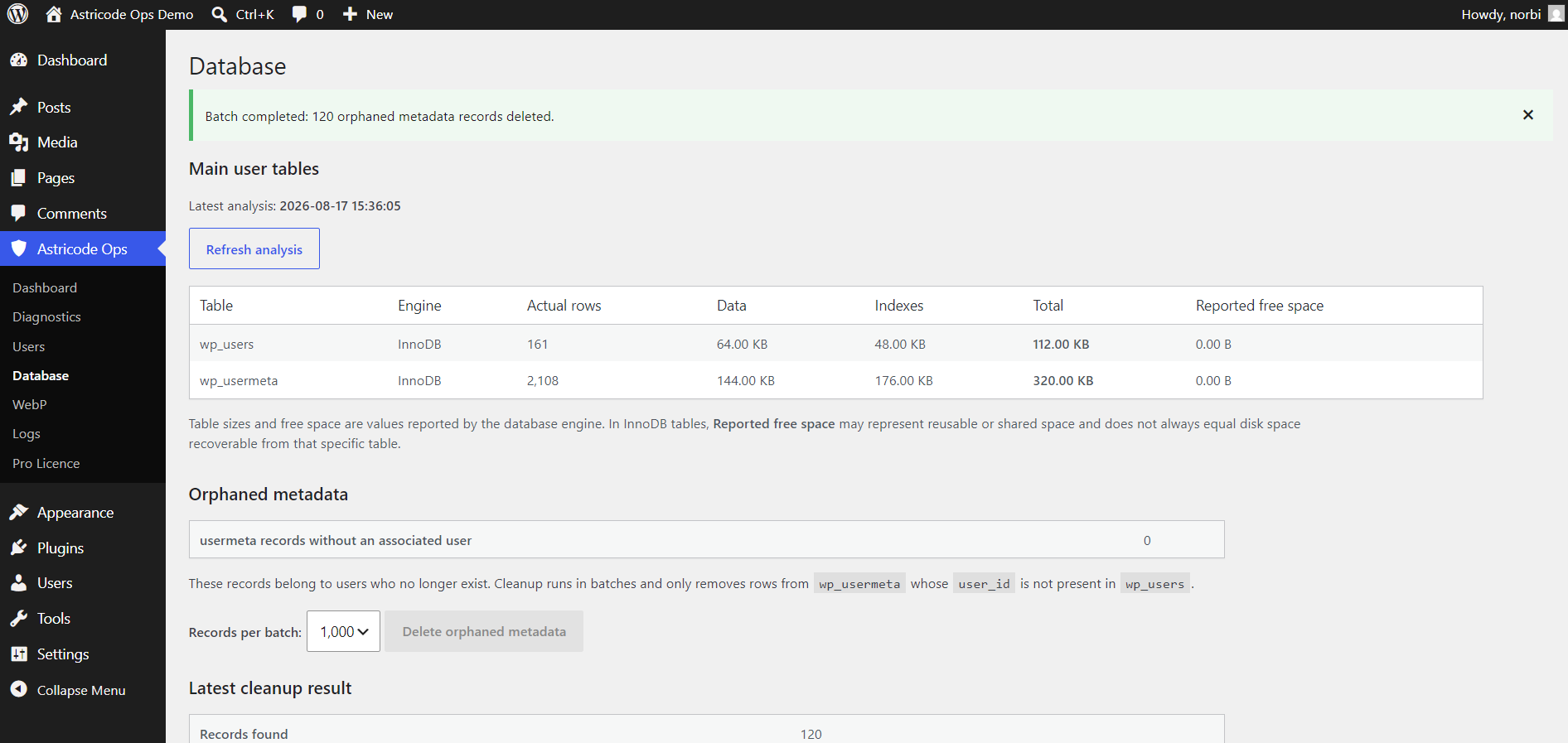
Astricode Ops found 120 wp_usermeta records without an associated user.
Using Delete orphaned metadata removed the bounded orphan set and left the count at 0.
Step 2 — Orphaned postmeta
The Post Metadata Analyzer identified 250 orphaned wp_postmeta records.
The safe orphaned-postmeta cleanup removed those rows. A fresh analysis reported 0 orphaned postmeta.

Step 3 — Orphaned transient timeouts
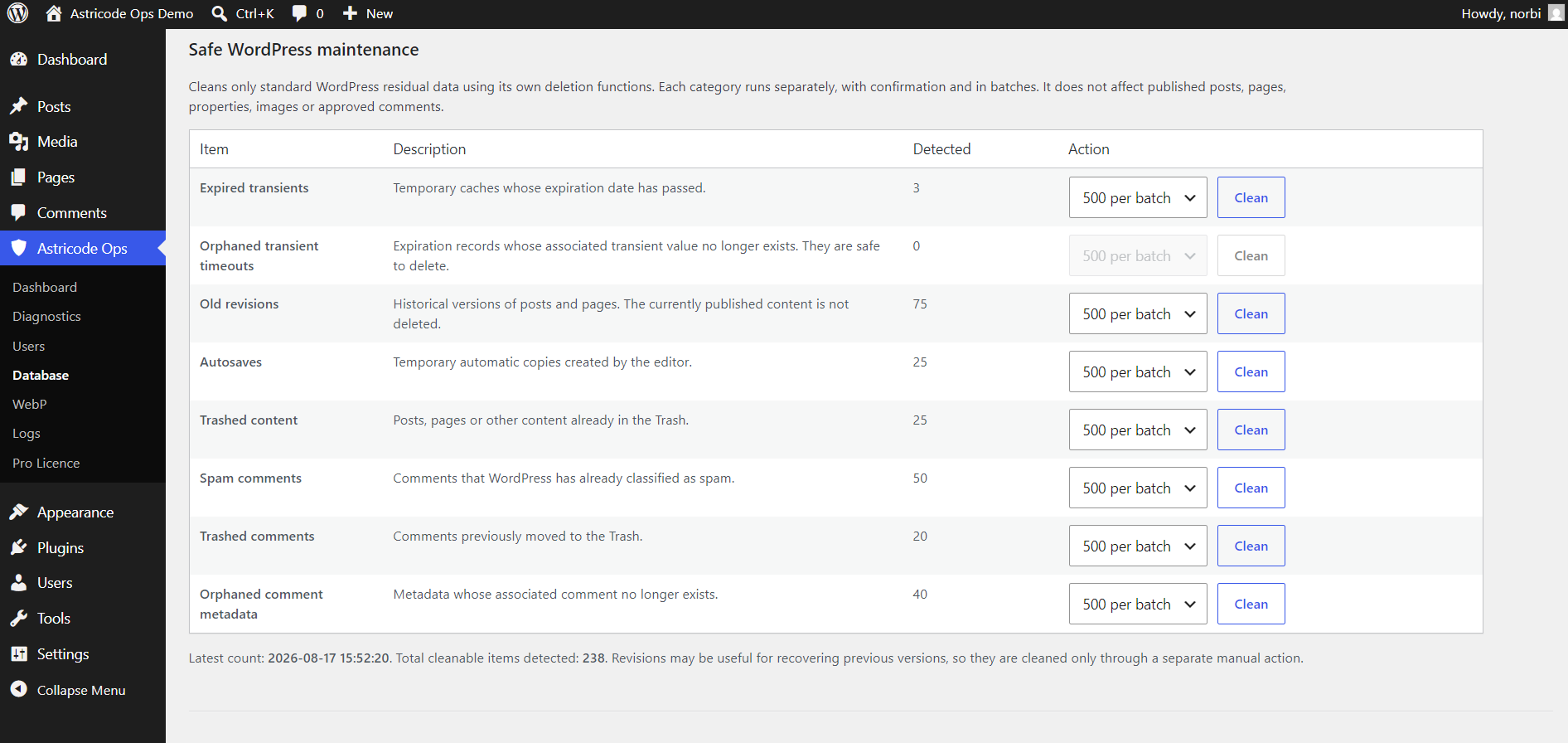
The maintenance panel initially contained 40 orphaned transient timeout records.
After the dedicated cleanup action, the category showed 0.
Step 4 — Old revisions
The demo contained 75 controlled historical revisions.
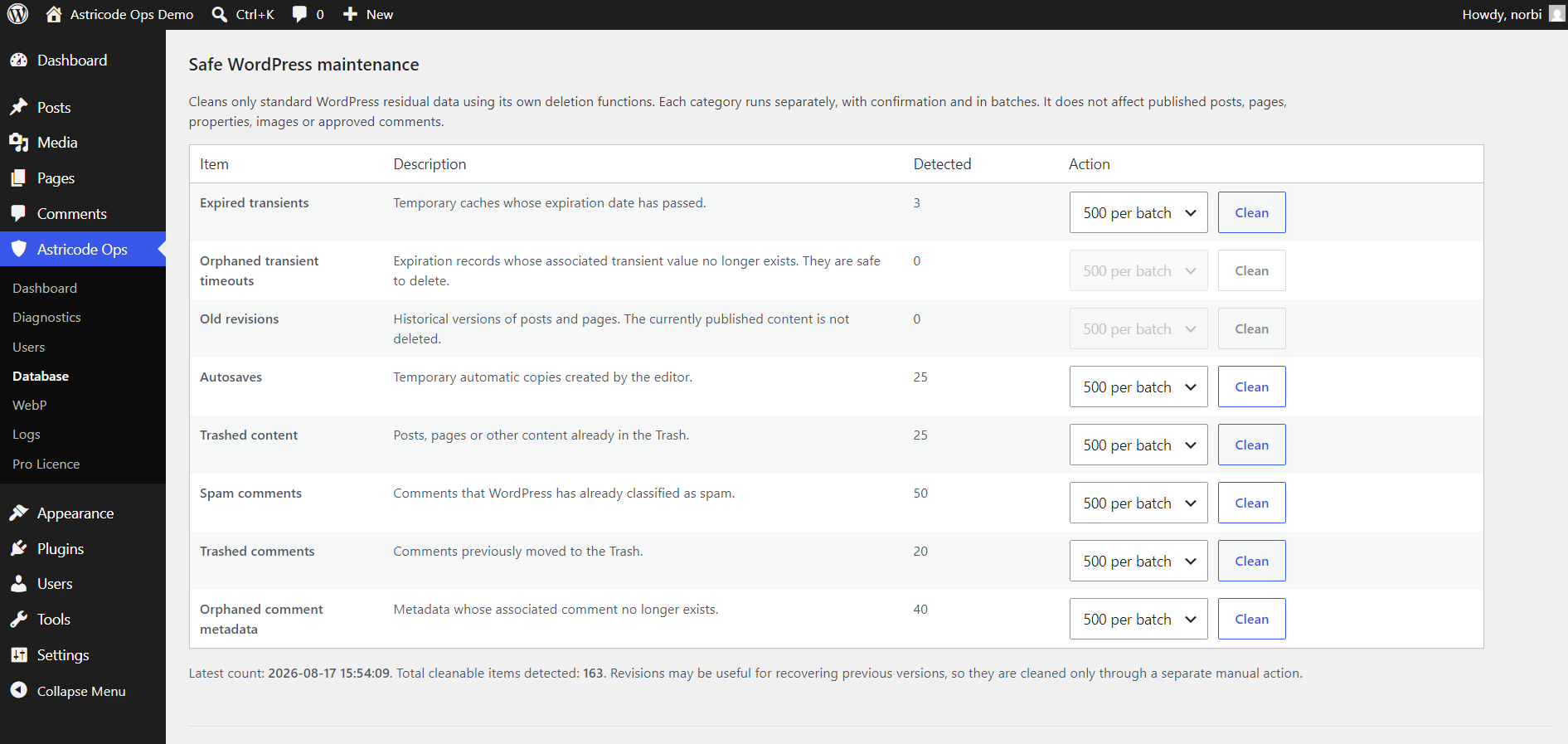
After cleaning only the Old revisions category, the count became 0.
Step 5 — Autosaves
The demo contained 25 controlled autosaves.
After cleaning the Autosaves category, the count became 0.
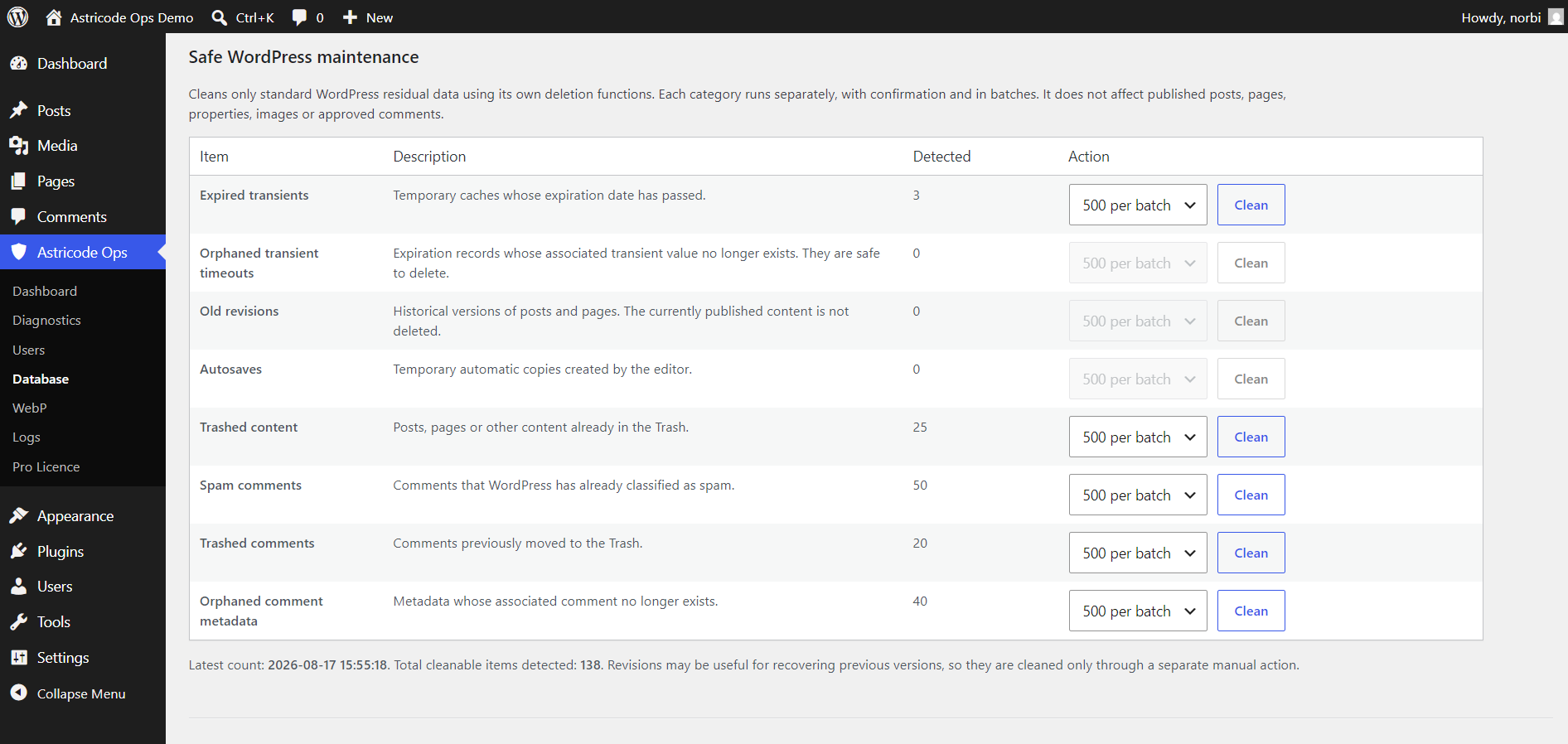
Step 6 — Trashed content
The demo contained 25 controlled items already in WordPress Trash.
After the dedicated cleanup action, Trashed content became 0.
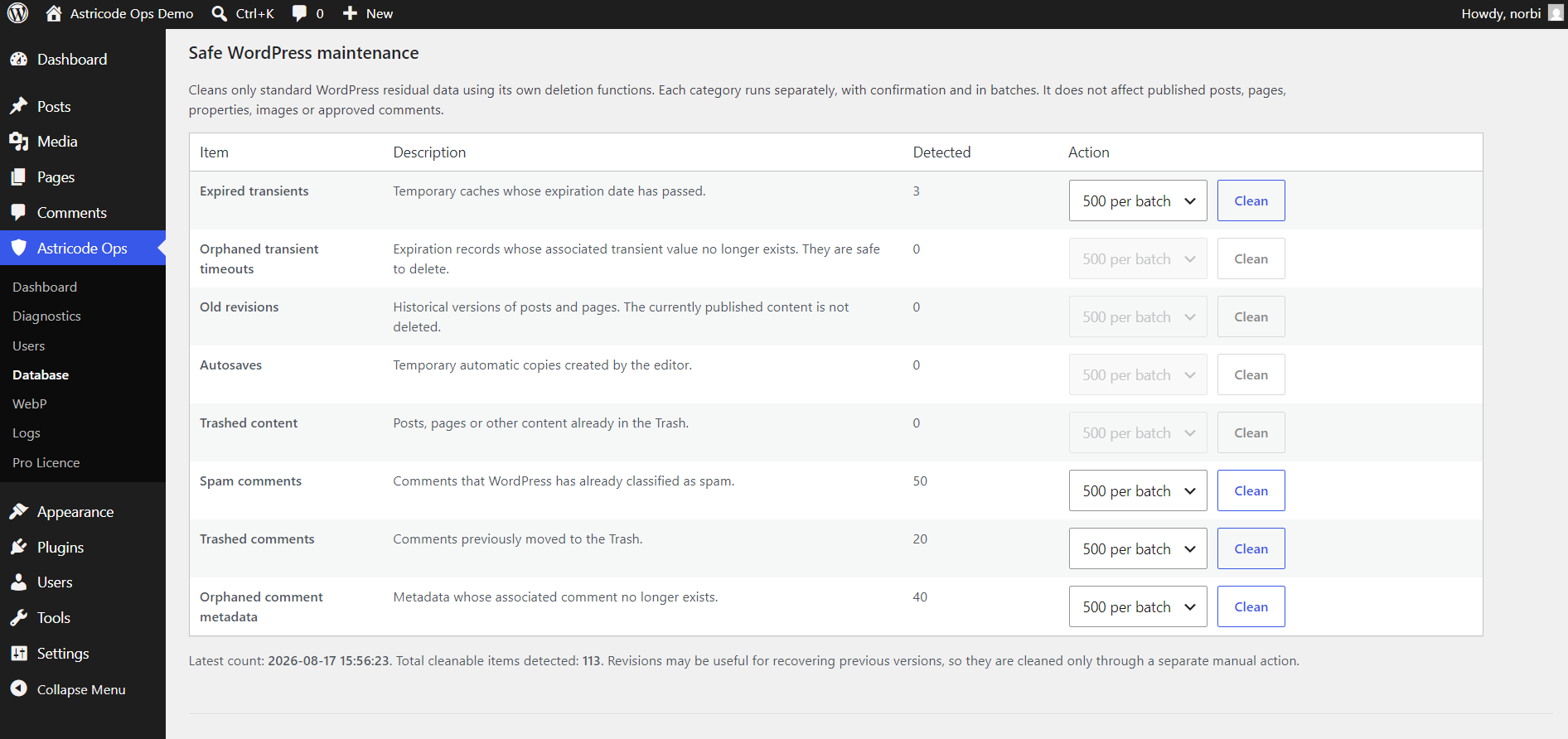
Step 7 — Spam comments
The demo contained 50 comments already marked as spam.
Cleaning the Spam comments category reduced that count to 0.
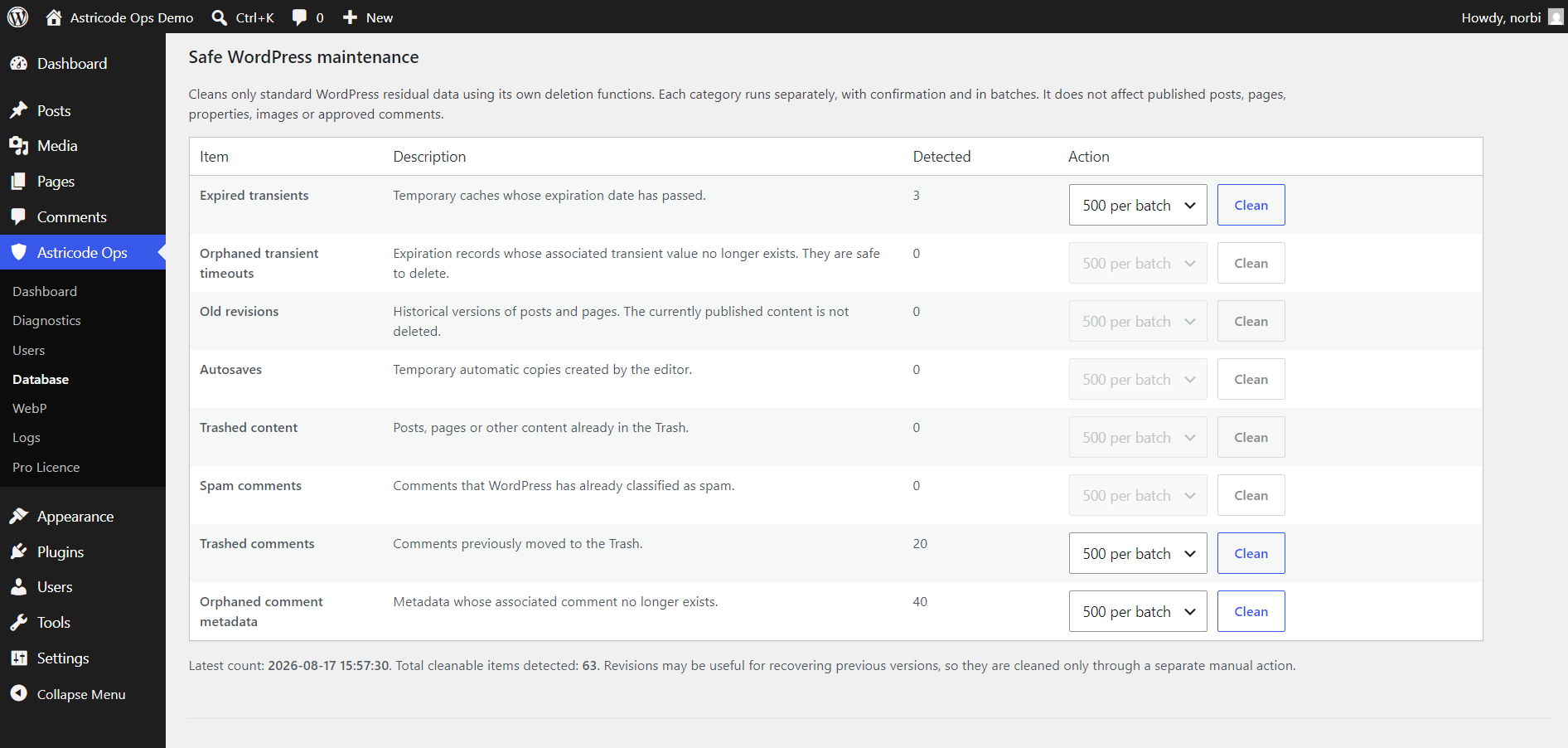
Step 8 — Trashed comments
The demo contained 20 comments already in the Trash.
Cleaning that category reduced the count to 0.
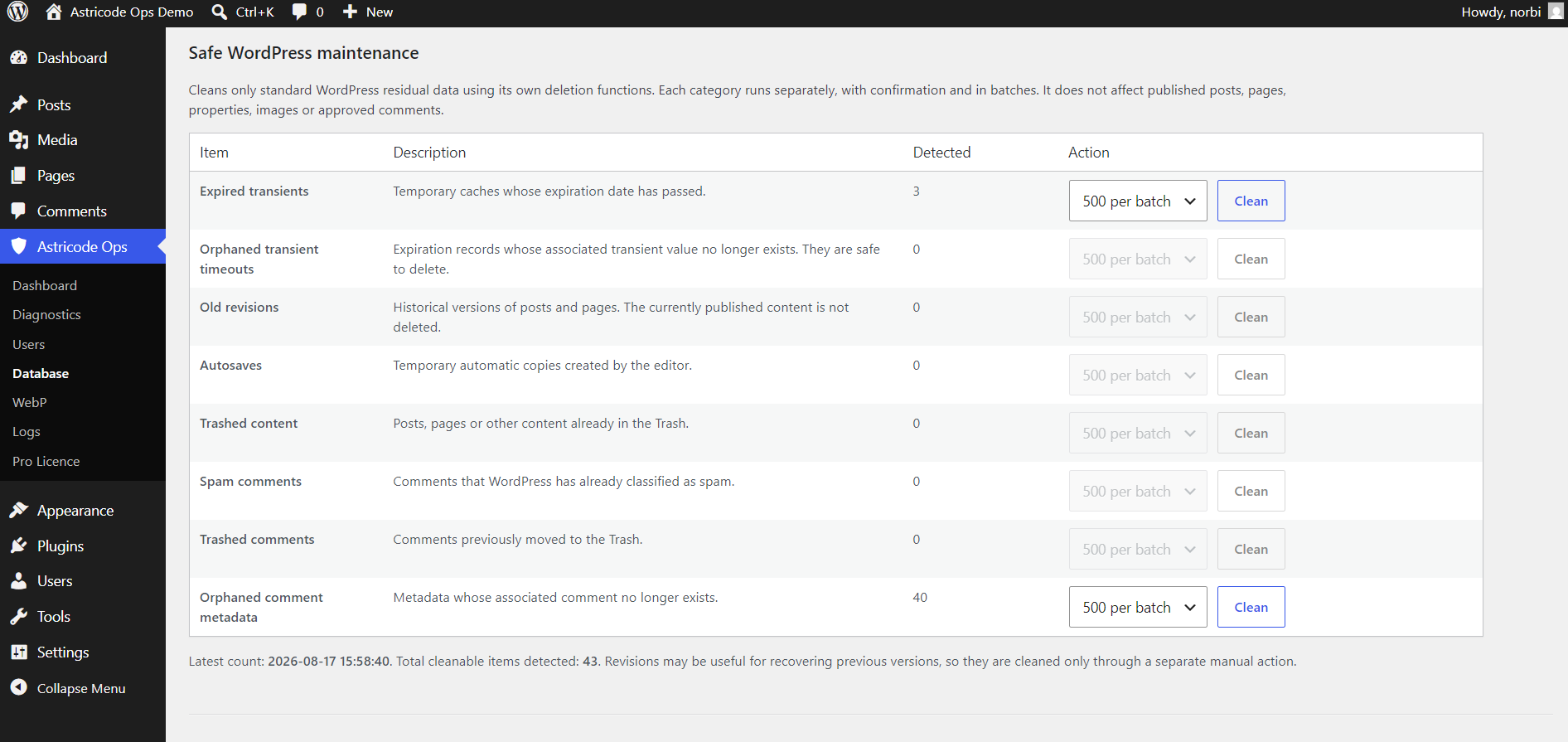
Step 9 — Orphaned comment metadata
The demo contained 40 orphaned commentmeta records.
After cleanup, this category also showed 0.
What we deliberately did not clean
A small number of expired transients remained.
This was intentional. The walkthrough demonstrates that you do not need to force every available maintenance category to zero.
Step 10 — Optimize user tables
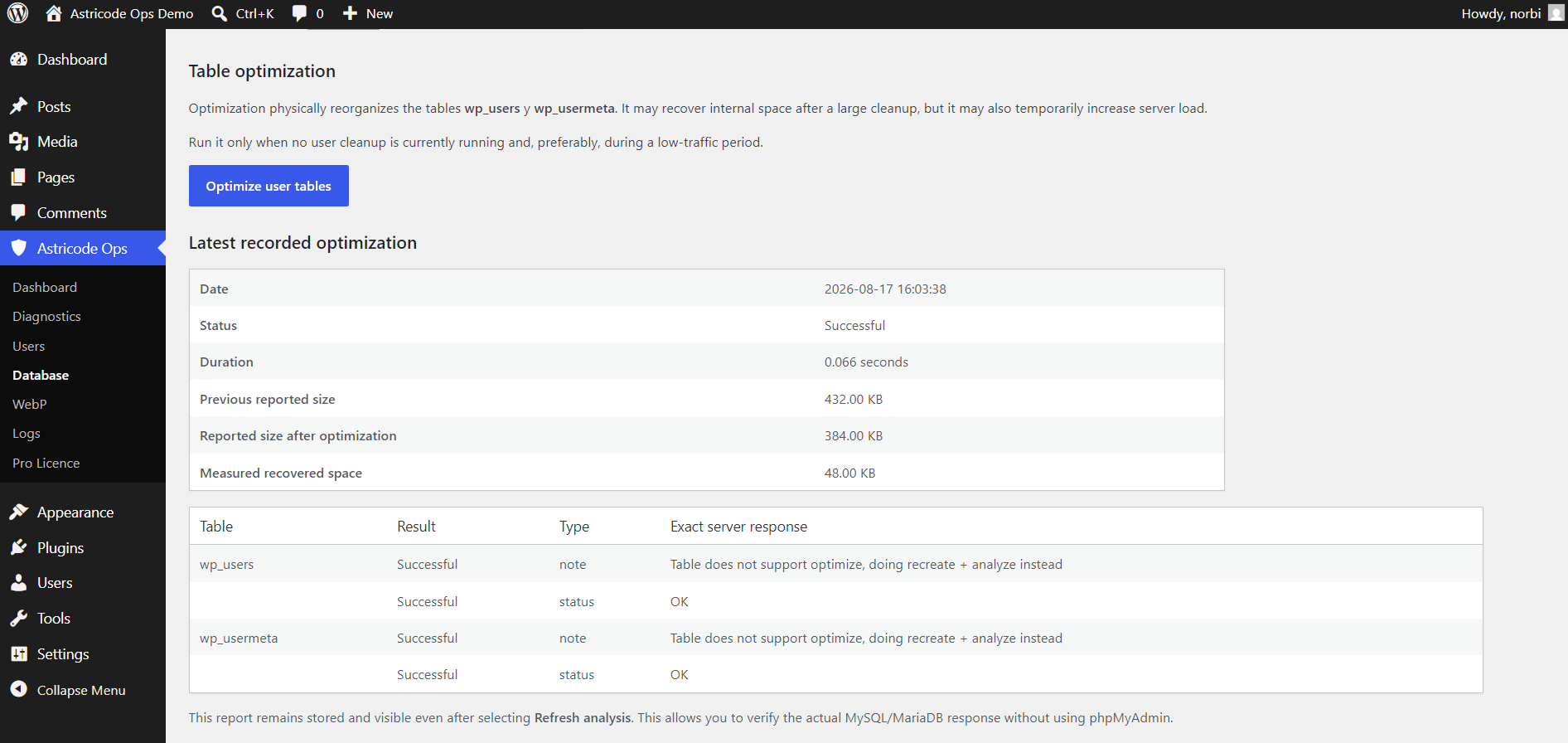
After removing orphaned user metadata, Optimize user tables was run.
The recorded result was:
- Previous reported size: 432 KB
- Reported size after optimization: 384 KB
- Measured recovered space: 48 KB
- Status: Successful
Final Database state
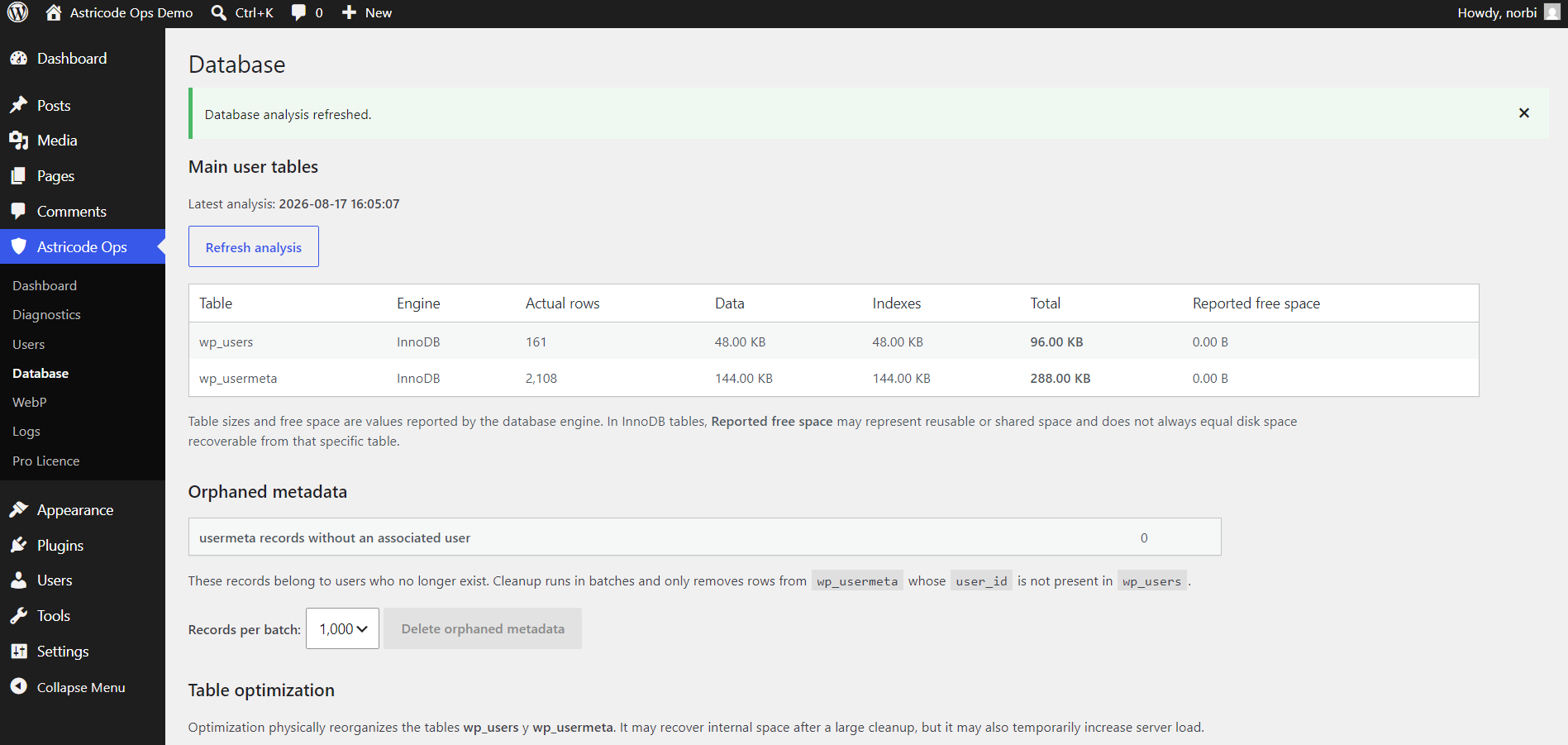
A fresh Database analysis showed:
wp_users: 161 rowswp_usermeta: 2,108 rows- orphaned usermeta: 0
Final Dashboard result
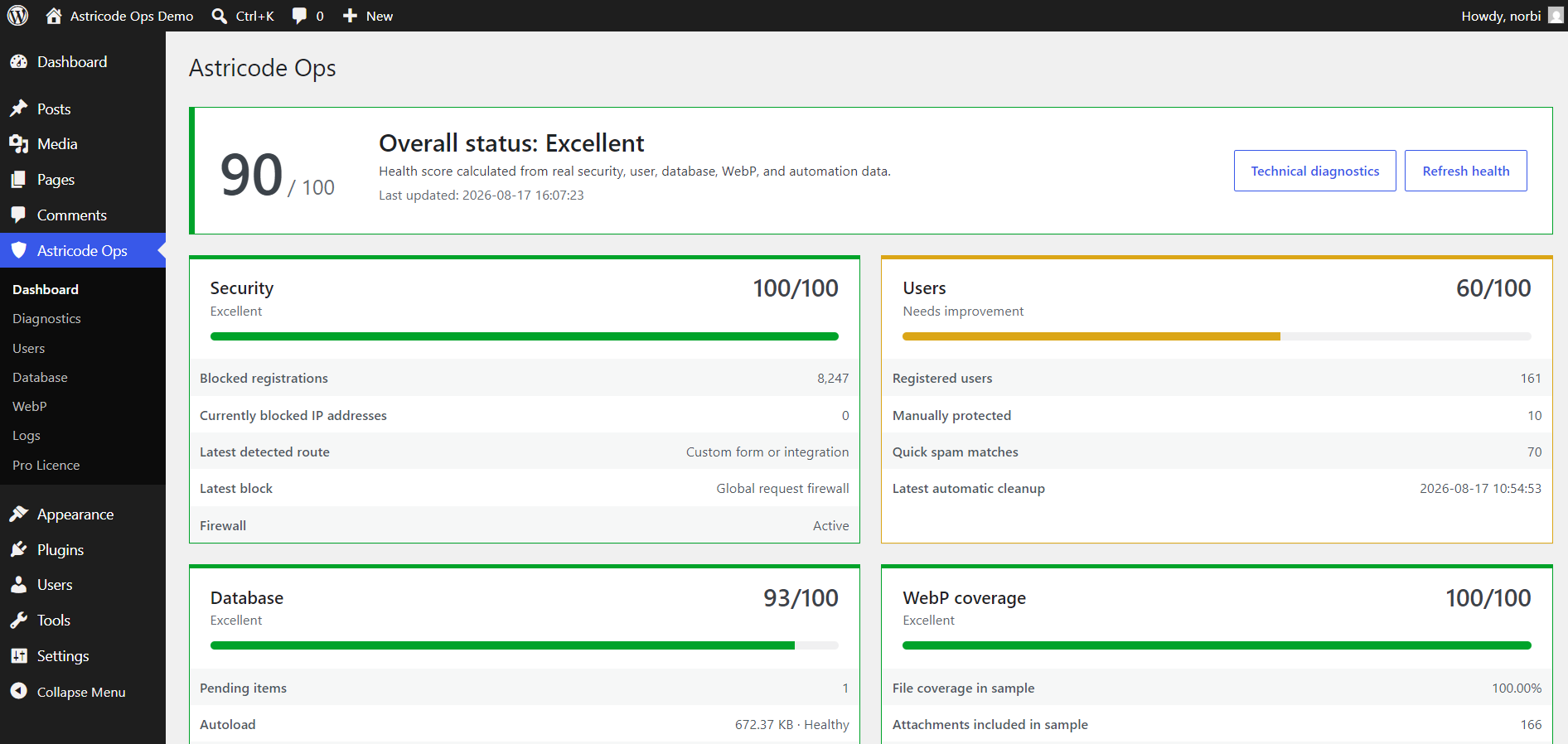
After refreshing health:
- Overall status: Excellent
- Overall score: 90/100
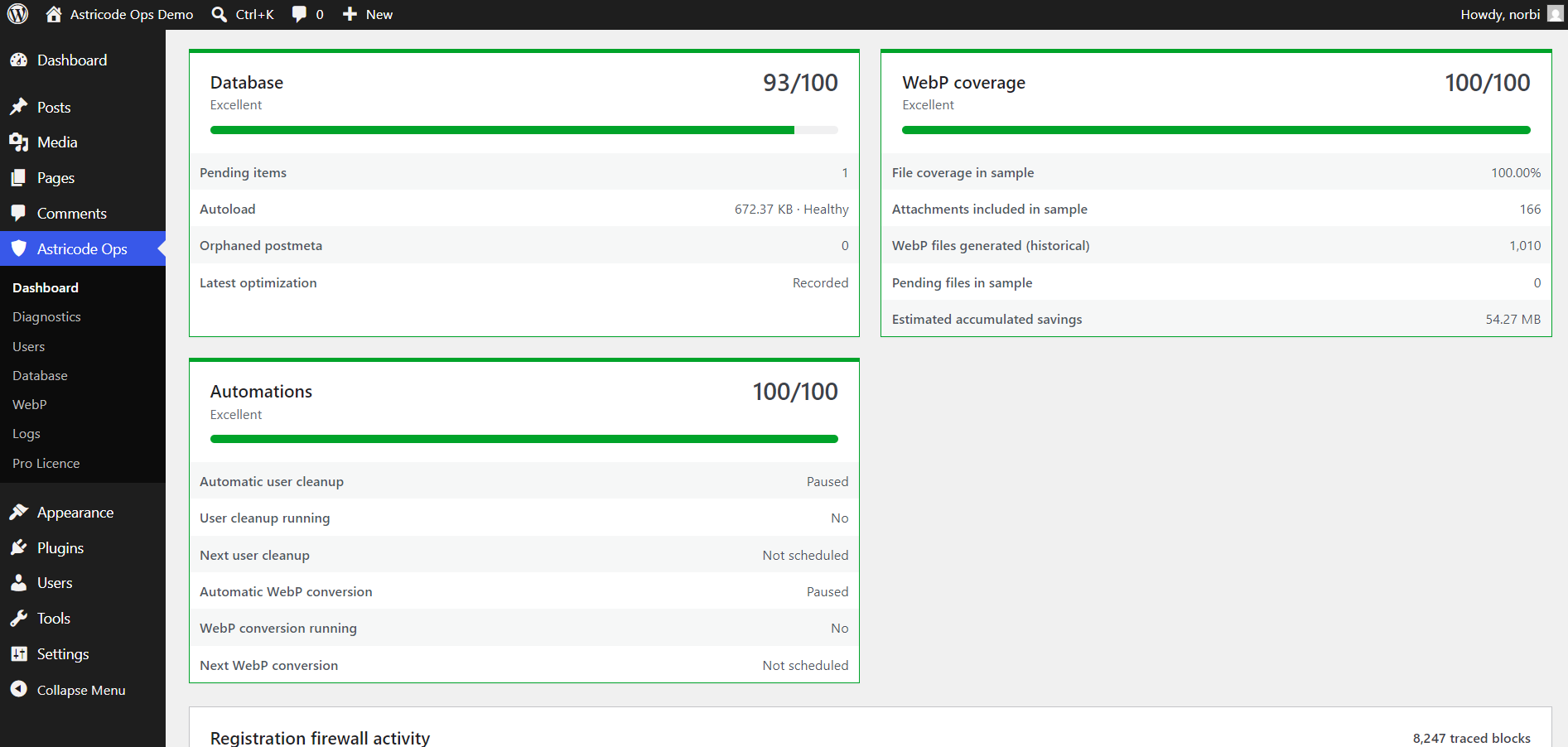
- Database: 93/100
- WebP: 100/100
- Security: 100/100
The lower Dashboard confirmed:
- orphaned postmeta: 0;
- latest optimization: Recorded;
- WebP historical files: 1,010;
- WebP pending: 0;
- estimated accumulated WebP savings: 54.27 MB;
- automatic user cleanup: Paused;
- automatic WebP conversion: Paused.
What this example proves
The purpose of Astricode Ops maintenance is not to chase a perfect score.
The controlled walkthrough improved the site while preserving:
- all intended users;
- protected users;
- Media Library content;
- WebP output;
- reversible quarantine records;
- Pro licence state;
- paused automation configuration.
That is the recommended operational mindset: analyze, back up, clean only understood data, verify, then optimize.