Open Astricode Ops → Logs to review recent operational activity.
Logs are stored in a non-autoloaded WordPress option and are bounded to prevent indefinite growth.
Retention
The Logs page displays:
- current stored entry count;
- Maximum entries;
- Save Retention;
- Clear Logs.
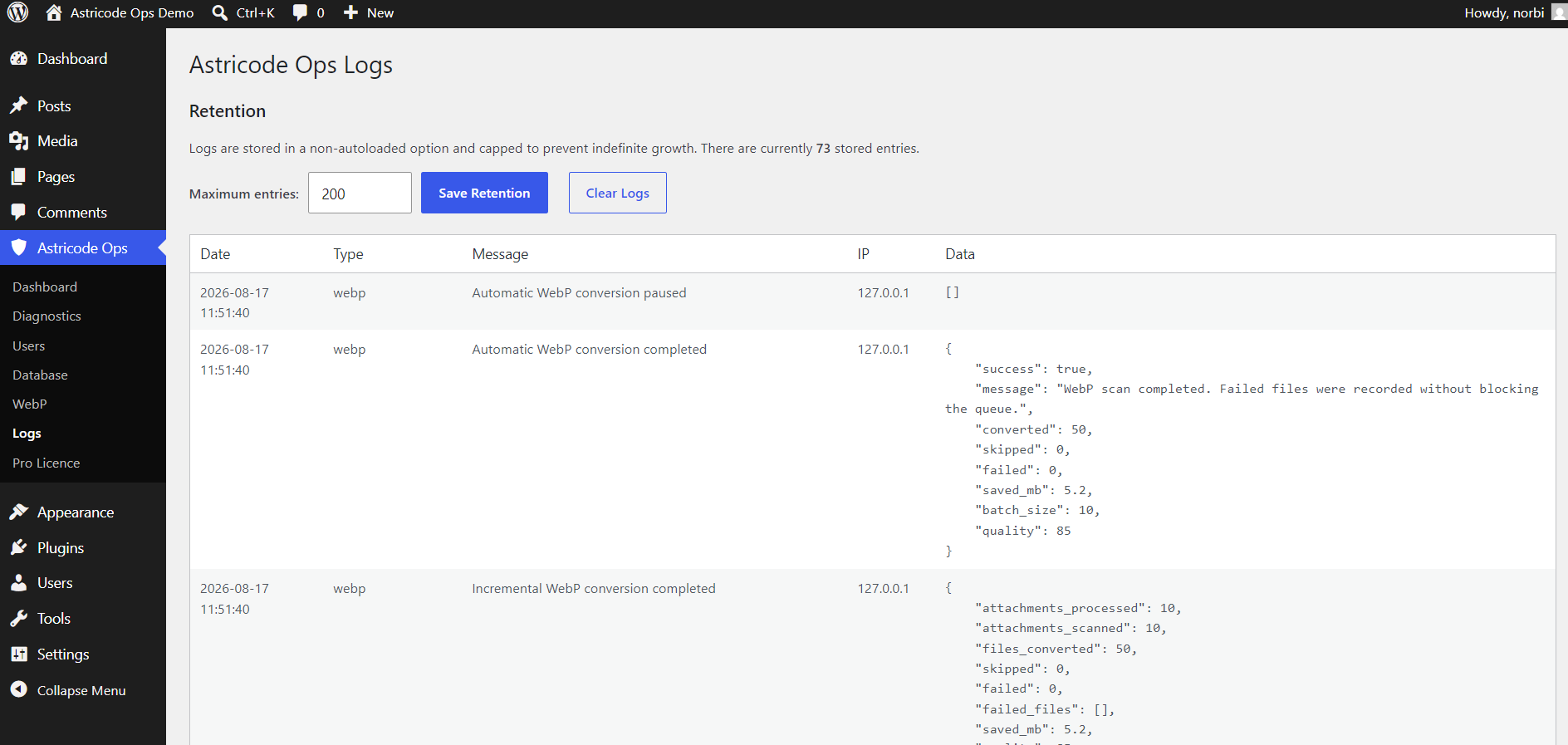
The current implementation supports a bounded retention setting, with validation between 50 and 2,000 entries. The default is 200.
Log fields
Entries can include:
- date;
- type;
- message;
- IP;
- structured data.
The Data column can contain operation-specific information such as converted files, failures, batch size, quality or cleanup counts.
WebP activity
WebP logs can record events such as:
- automatic conversion enabled;
- automatic conversion completed;
- incremental conversion completed;
- automatic conversion paused.
Use the structured data to confirm how much work a batch performed.
User Monitoring and Automatic Cleanup — Pro
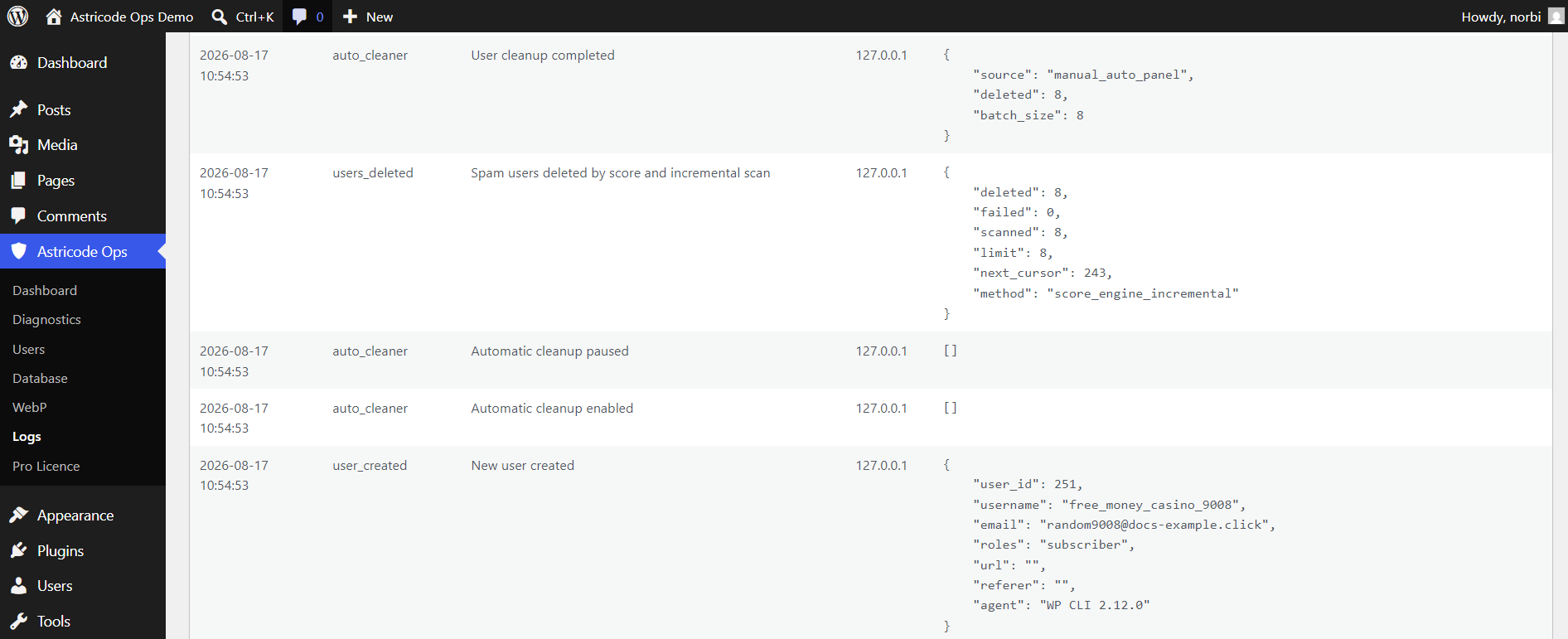
When Pro is active, logs can record:
- new user created;
- automatic cleanup enabled;
- automatic cleanup paused;
- users deleted by score and incremental scan;
- cleanup completed.
Clear Logs
Clear Logs removes the stored Astricode Ops log history.
This is not reversible quarantine. Export or otherwise retain information first if you need it for auditing.
Privacy and operational data
Logs can contain user IDs, usernames, domains, request context or other operational information.
Limit access to trusted administrators and follow your own privacy and retention requirements.