Astricode Ops monitors registration activity across multiple WordPress entry points and records where suspicious registration attempts are detected or blocked.
Open Astricode Ops → Dashboard and scroll to Registration firewall activity.
What the activity panel shows
The panel includes:
- total traced blocks;
- latest detected registration route;
- latest block or removal;
- channel;
- risk value;
- username and email-domain context when available;
- date;
- recorded blocks by source or protection layer.
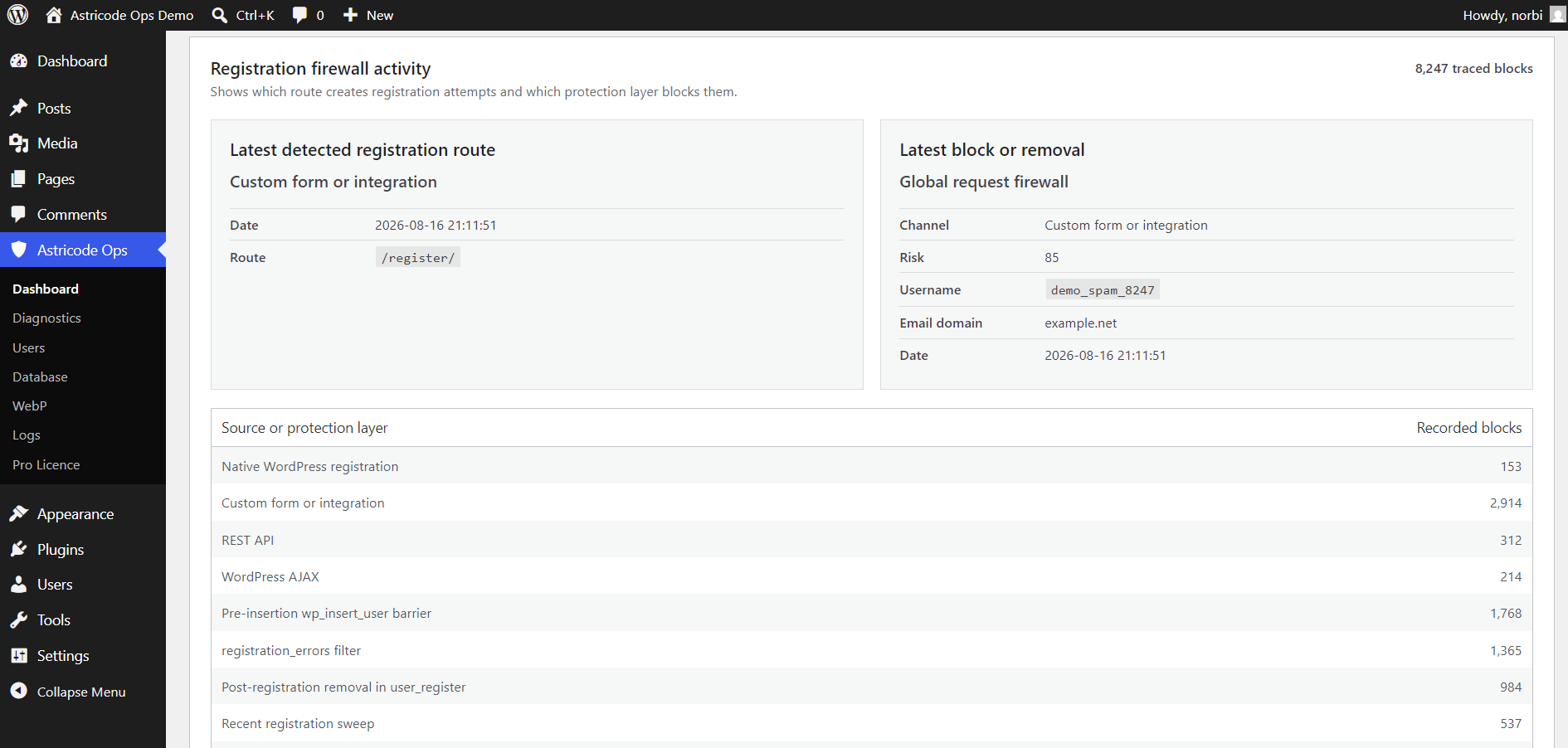
Detection channels
Astricode Ops can record registration activity from several layers, including:
- native WordPress registration;
- custom forms or integrations;
- REST API;
- WordPress AJAX;
- the pre-insertion
wp_insert_userbarrier; - the
registration_errorsfilter; - post-registration handling through
user_register; - recent registration sweeps.
The exact routes visible on your site depend on how users are created and which integrations are installed.
Blocked registrations are not users
The Blocked registrations value is a historical activity counter. It should not be interpreted as the number of user accounts in wp_users.
A site can record thousands of blocked registration attempts while having only a small number of registered users.
Latest detected route
The latest route helps identify where registration traffic is entering the site.
For example, a custom registration form may appear as Custom form or integration, while the recorded route can show the actual request path.
Use this information to investigate recurring sources of unwanted registration traffic.
Risk information
Where available, the activity panel can include a risk value and sanitized registration context such as username or email domain.
Treat these values as diagnostic evidence. Avoid blocking legitimate business workflows solely because one field looks unusual.
Recommended workflow
- Review the latest detected route.
- Compare it with the latest protection layer.
- Check whether the route belongs to a legitimate registration integration.
- Review suspicious users separately under Astricode Ops → Users.
- Use Logs when you need operational history.