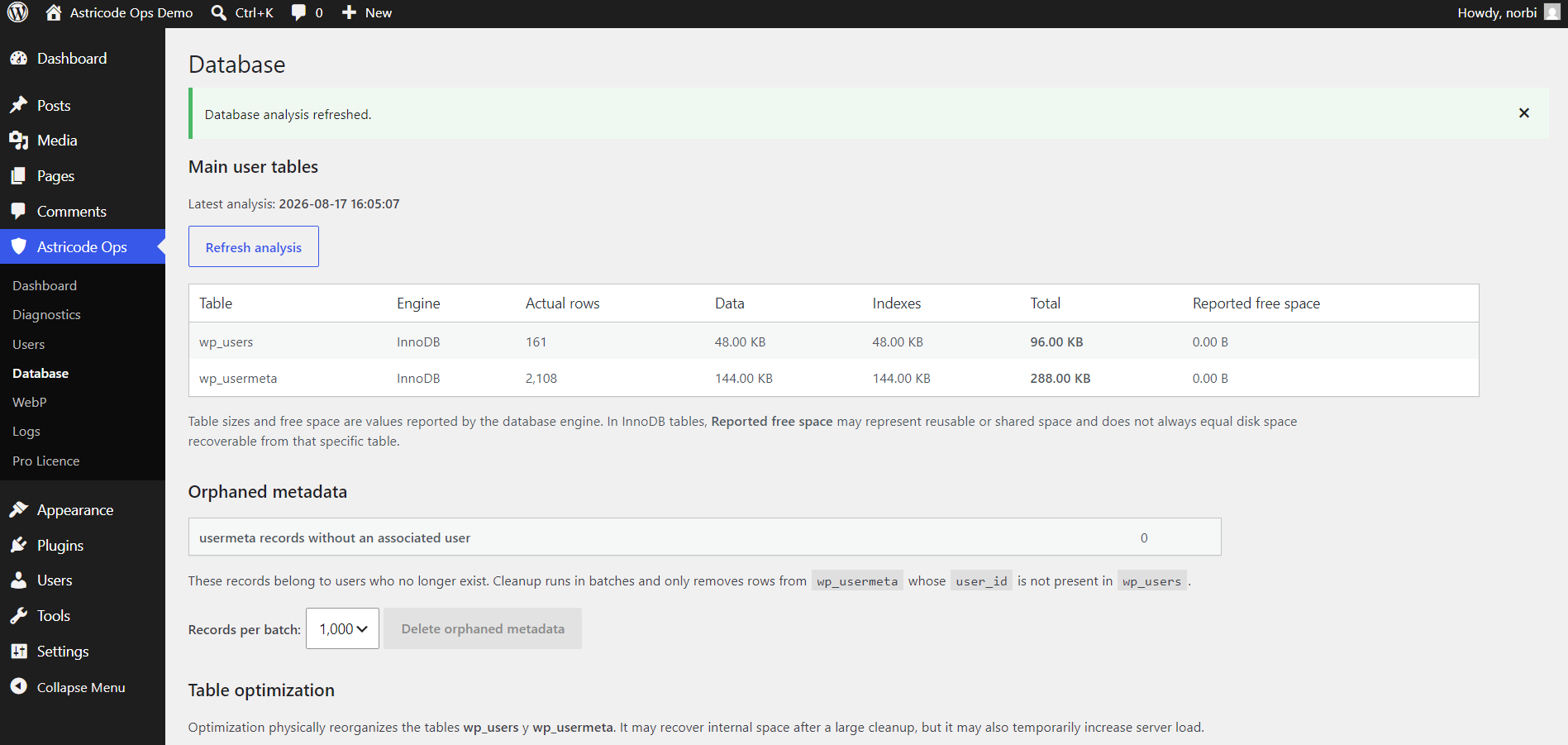
Open Astricode Ops → Database for database analysis, cleanup and advanced reversible inspection.
Database tools are separated by purpose so that analysis, deletion, optimization and quarantine are not presented as the same operation.
Main user tables
The first section reports wp_users and wp_usermeta, including:
- storage engine;
- actual rows;
- data size;
- index size;
- total reported size;
- reported free space.
Reported free space is supplied by the database engine. On InnoDB, it may represent reusable or shared space and does not always equal disk space that can be returned directly to the operating system.
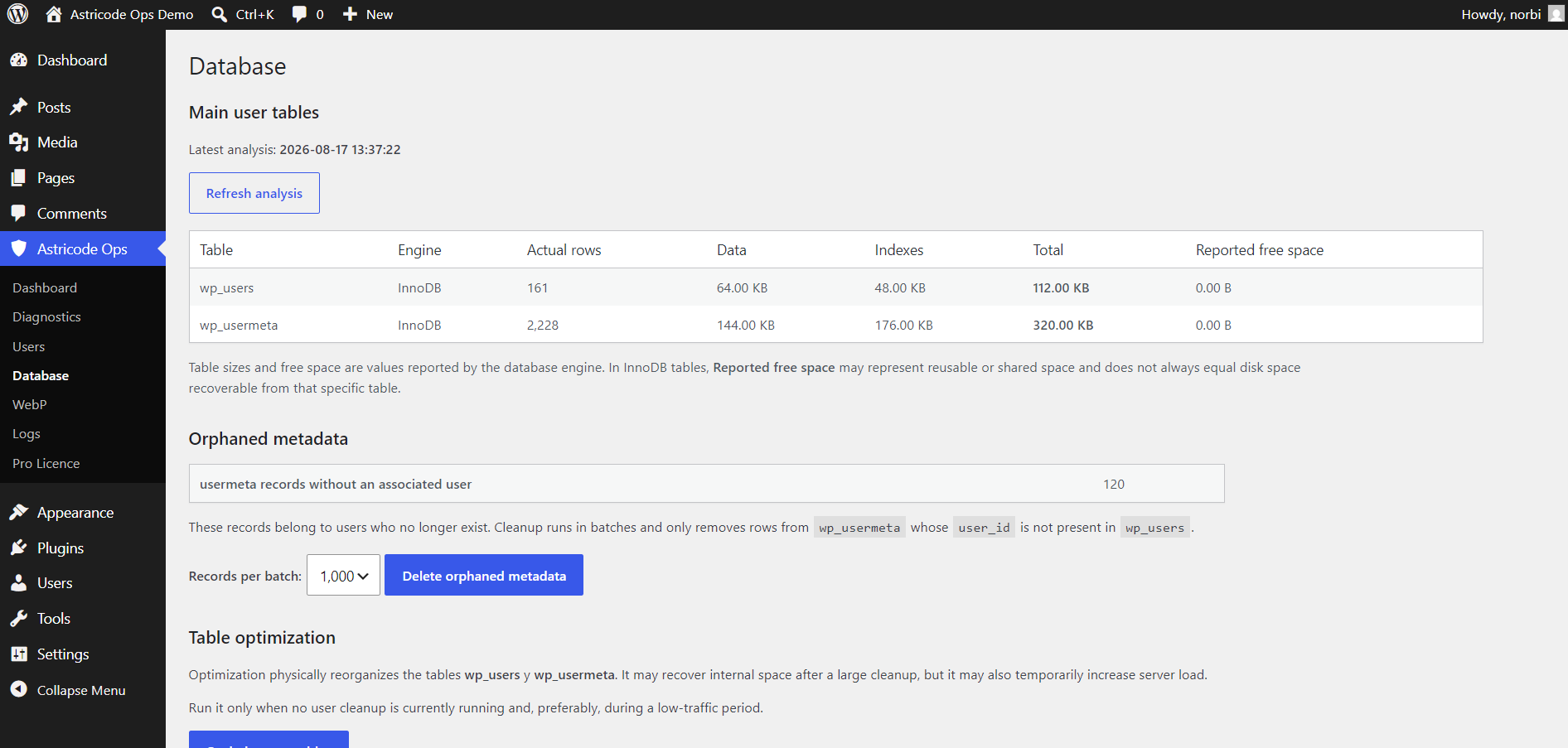
Orphaned user metadata
Astricode Ops detects rows in wp_usermeta whose user_id no longer exists in wp_users.
These rows can be deleted in bounded batches with Delete orphaned metadata.
The tool limits the cleanup to genuinely orphaned metadata. It does not delete metadata belonging to existing users.
Optimize user tables
Optimize user tables physically reorganizes wp_users and wp_usermeta.
This operation does not delete users. It is most useful after a significant user or metadata cleanup.
Run it when no user cleanup is active and preferably during a lower-traffic period.
General table optimizer
The General Table Optimizer provides a broader table catalog.
Controls include:
- Refresh catalog;
- Select WordPress tables;
- Select all;
- Clear selection.
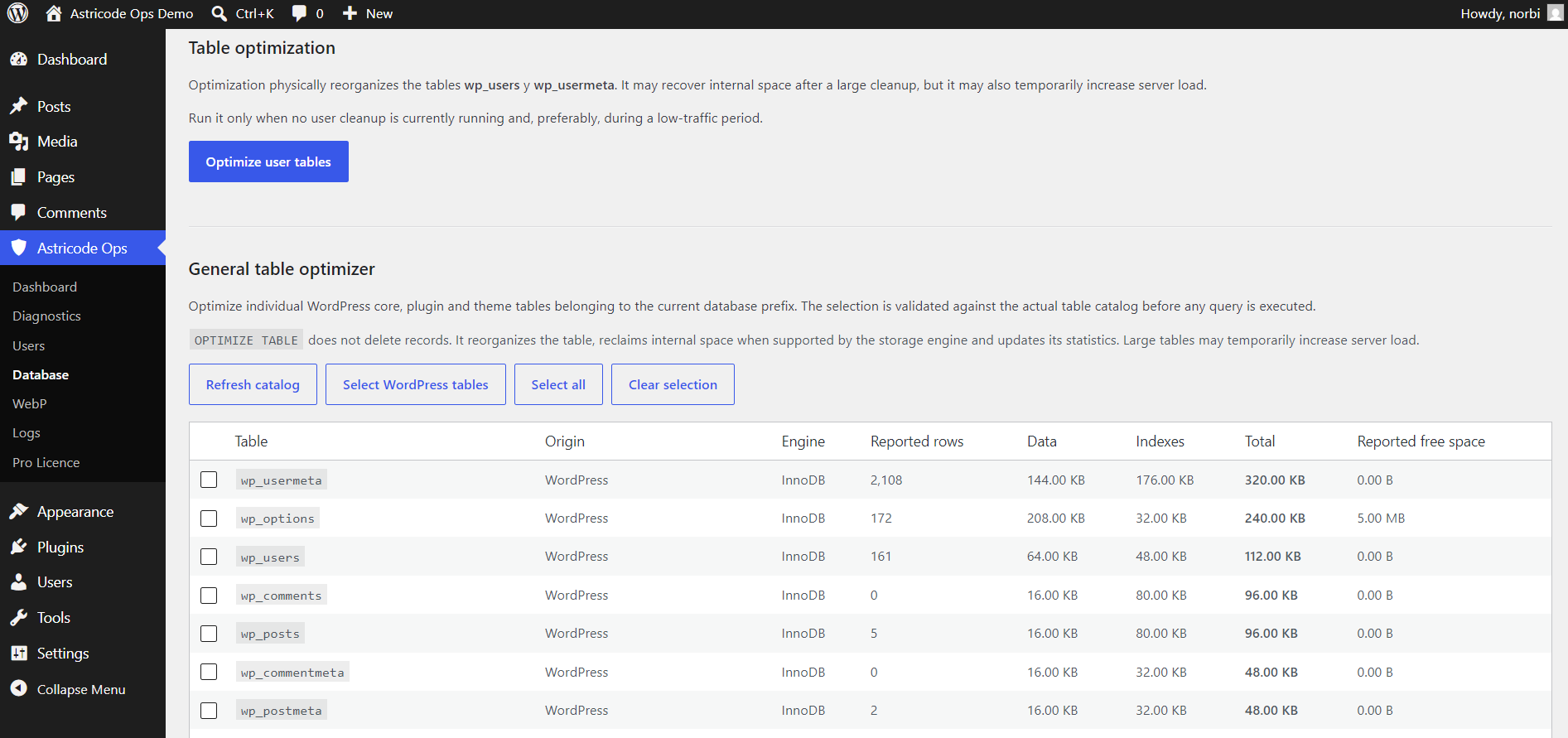
Before optimization, the selected names are validated against the actual current database table catalog.
OPTIMIZE TABLE does not intentionally delete rows. Depending on the storage engine, the database server may internally recreate and analyze a table.
Recorded optimization results
Astricode Ops stores the latest user-table optimization report, including:
- date;
- status;
- duration;
- previous reported size;
- reported size after optimization;
- measured recovered space;
- exact database server response.
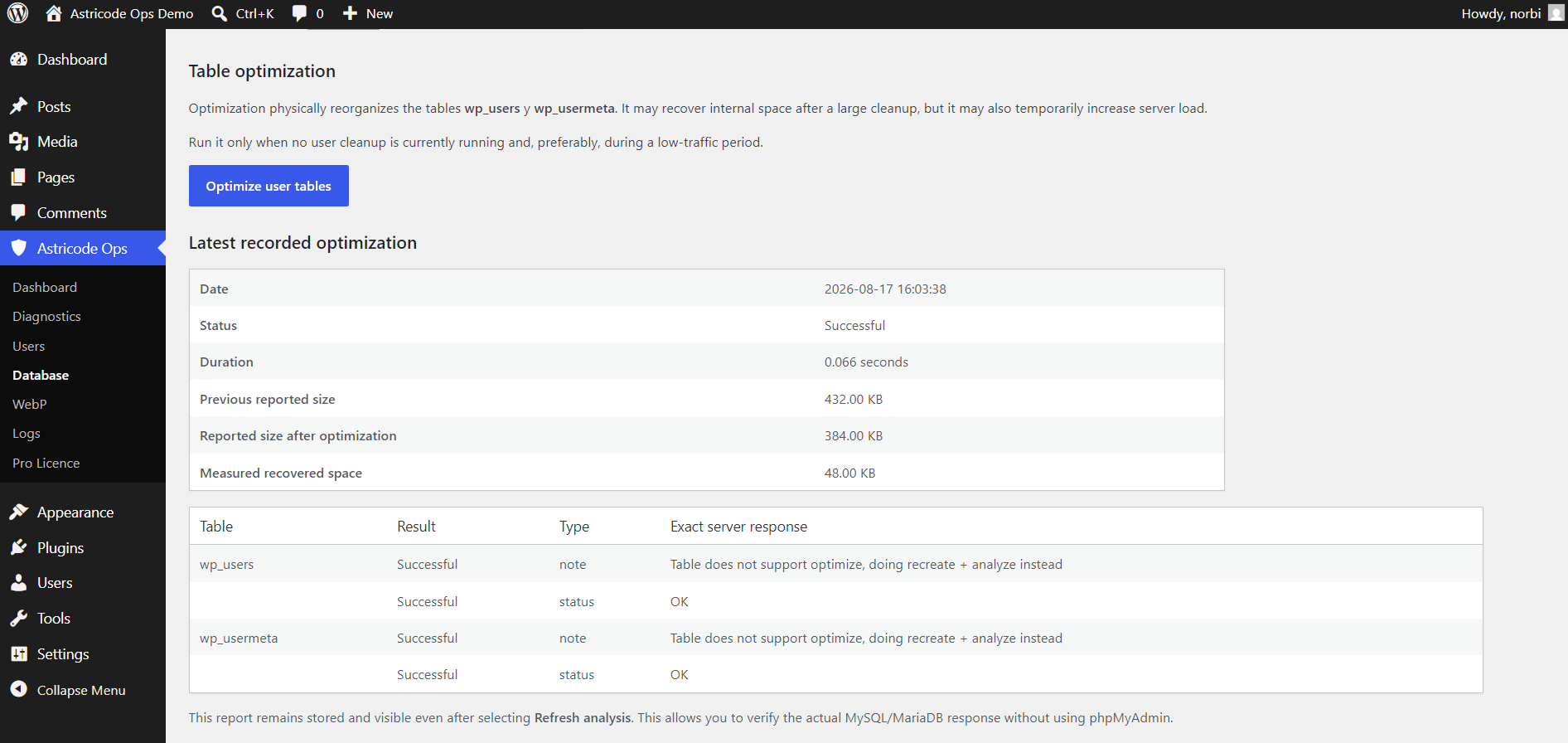
In the documentation demo, optimization reduced the reported combined size from 432 KB to 384 KB, with 48 KB measured recovered space.
Results on production sites vary.
Refresh analysis
After cleanup or optimization, select Refresh analysis to update the main user-table report.