Astricode Ops Pro extends the Free user tools with new-user monitoring and automatic cleanup.
The Free plugin remains responsible for the underlying user analysis and cleanup logic; Pro adds automation around those capabilities.
New-user monitoring
When Pro is licensed and loaded, it monitors newly created users through the WordPress user-registration lifecycle.
Relevant events are written to Astricode Ops Logs, allowing administrators to see when new accounts were created and the context recorded by the plugin.
Automatic cleanup status
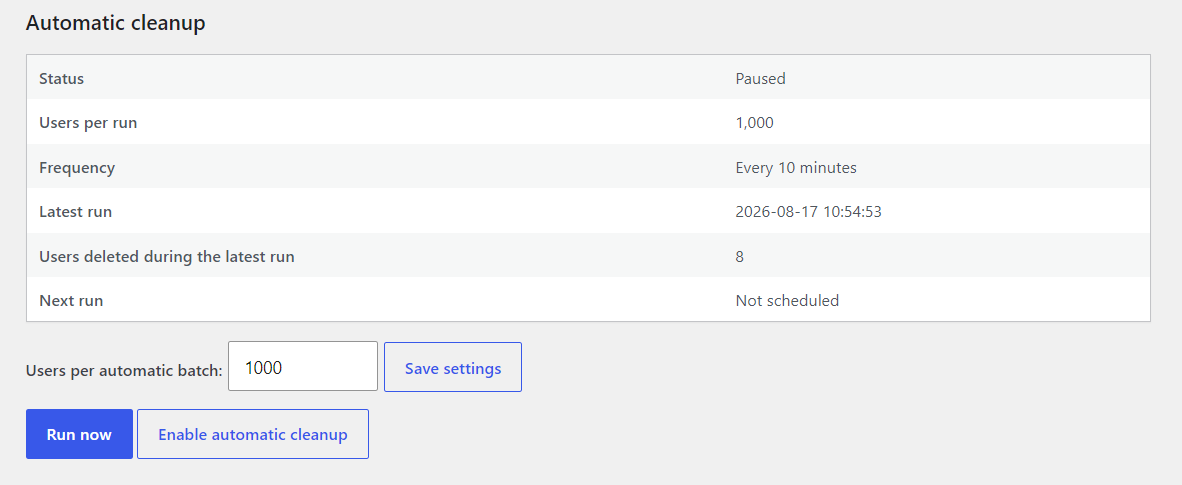
Open Astricode Ops → Users and locate Automatic cleanup.
The panel shows:
- Status;
- Users per run;
- Frequency;
- Latest run;
- Users deleted during the latest run;
- Next run.
Configure the batch size
Use Users per automatic batch to control how many users the automatic cleaner can evaluate in one run.
Save the value with Save settings.
On large sites, a bounded batch helps keep work predictable.
Run Now
Run now executes the automatic cleanup path immediately without requiring you to leave the scheduler enabled.
Use this when you want to test or perform one controlled Pro cleanup and then keep automation paused.
Enable and pause
Select Enable automatic cleanup to schedule the Pro cleaner.
When enabled, the interface displays its scheduled state. Pausing the automation removes the scheduled run while retaining the configuration and previous run information.
What the automatic cleaner deletes
The Pro cleaner delegates to the Free cleanup engine. It does not bypass protected-user and eligibility safeguards merely because the run is automated.
Always review your user population before enabling recurring cleanup on a production site.
Logs
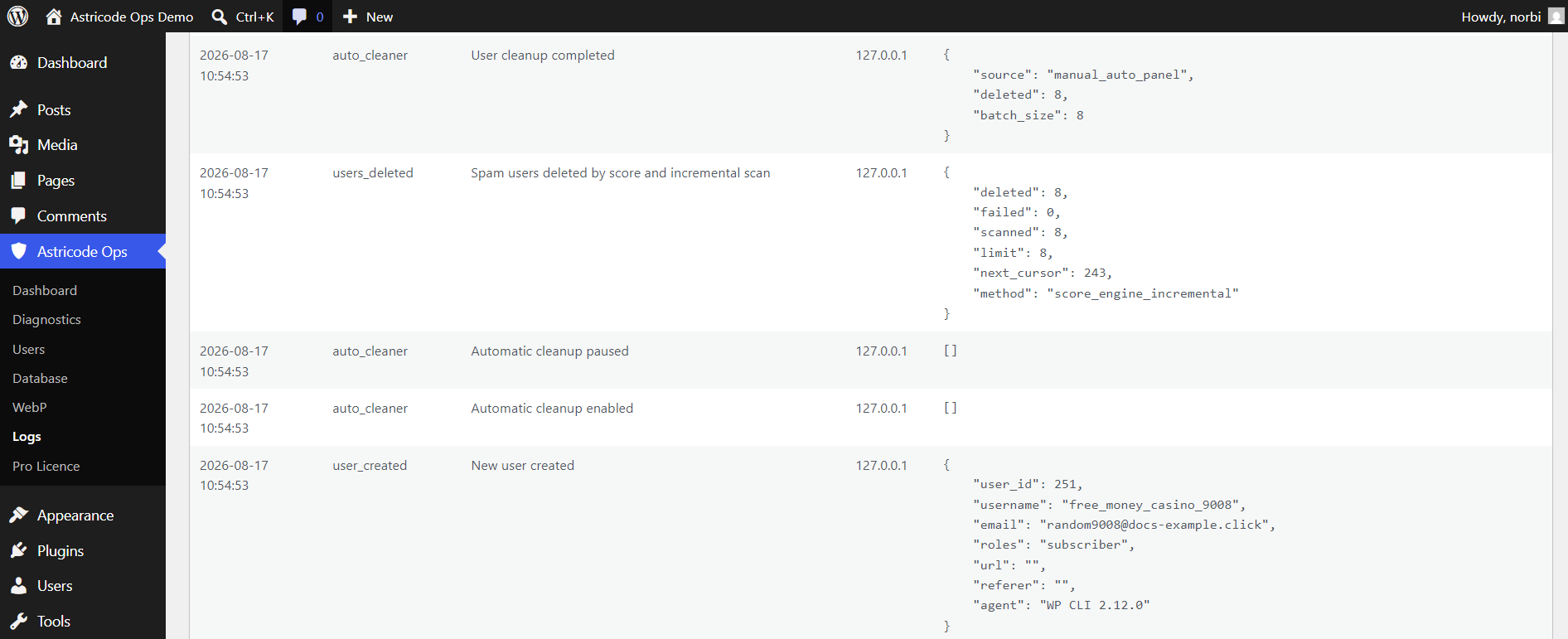
The Logs page records events such as:
- automatic cleanup enabled;
- automatic cleanup paused;
- cleanup completed;
- users deleted by score and incremental scan;
- newly created users monitored by Pro.
Recommended rollout
- Run the Full User Audit.
- Protect known legitimate accounts.
- Use manual cleanup on a small batch.
- Use Pro Run now for a controlled automation test.
- Review Logs.
- Enable recurring cleanup only after you are comfortable with the results.